
Four Ways to Turn What You Have Into a Course
Not every student has a neat PDF from their lecturer. Some have a notebook. Some have a WhatsApp message a classmate forwarded at midnight. Some have nothing at all.
Flaevo used to want a file. Now there are four ways in, and they all end the same way: lessons you can read, then quiz yourself on, then revise with flashcards and Daily 3.
Open Study and tap Add a course.
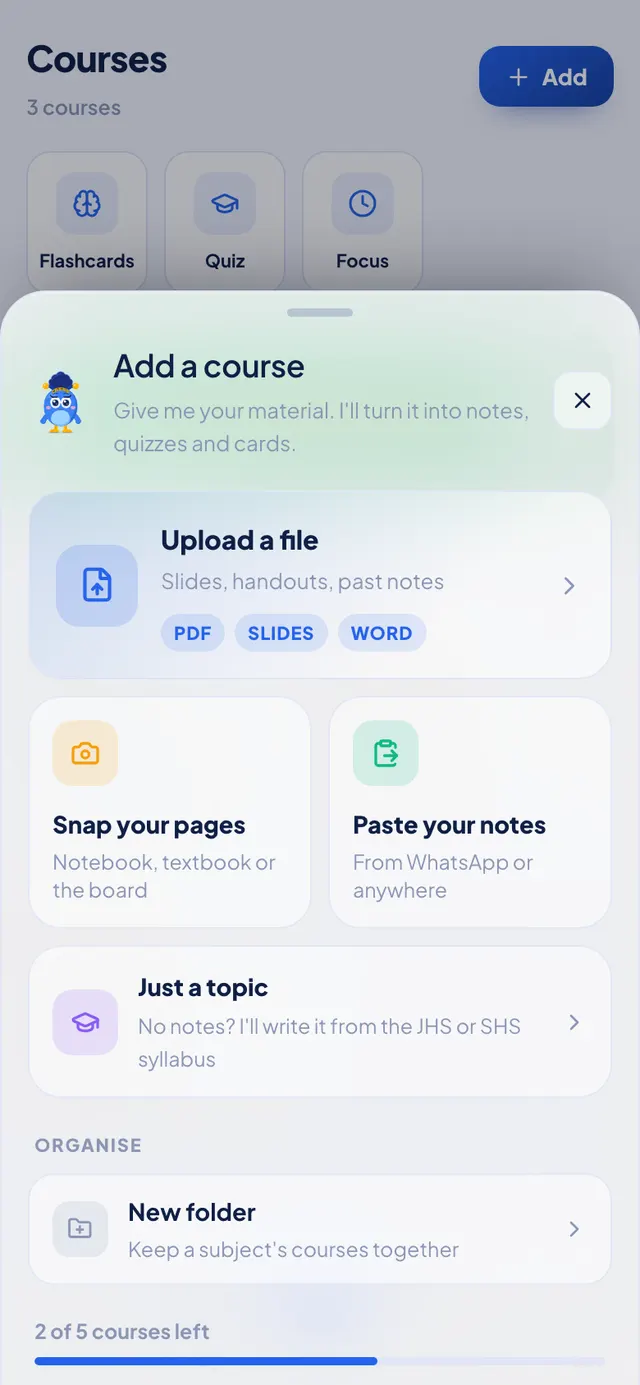
The sheet also shows how many courses you have left on your plan, before you pick anything.
1. Upload a file
The big option at the top, and still the best one when you have it, because it is your lecturer's own words.
Slides, handouts and past notes all work: PDF, PowerPoint (.pptx), Word (.docx) and plain text. The older .doc and .ppt formats do not; in Word or PowerPoint, use Save As and pick the newer format first.
Flae reads the file and writes it up as proper notes, split into sessions. How that works, and why.
2. Snap your pages
For your notebook, a textbook you borrowed, or what the teacher wrote on the board.
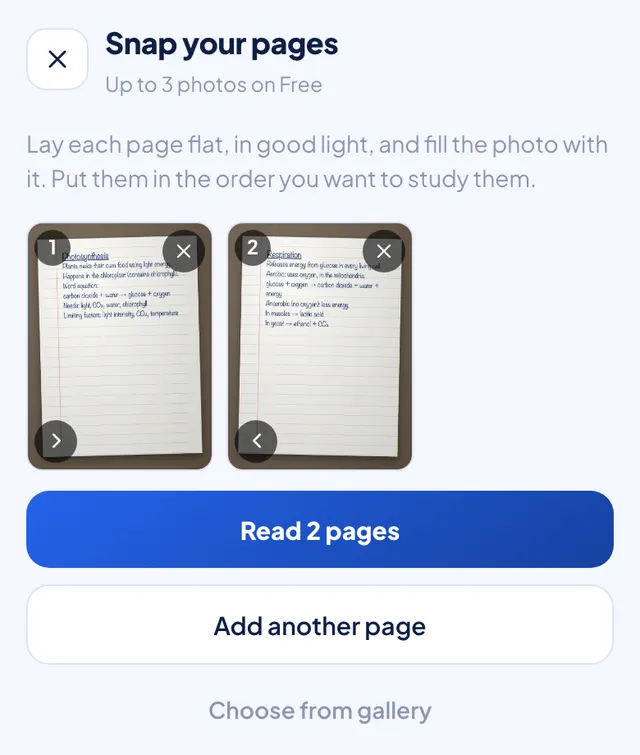
Take a photo of each page, or pick them from your gallery, in the order you want to study them. Then tap Read.
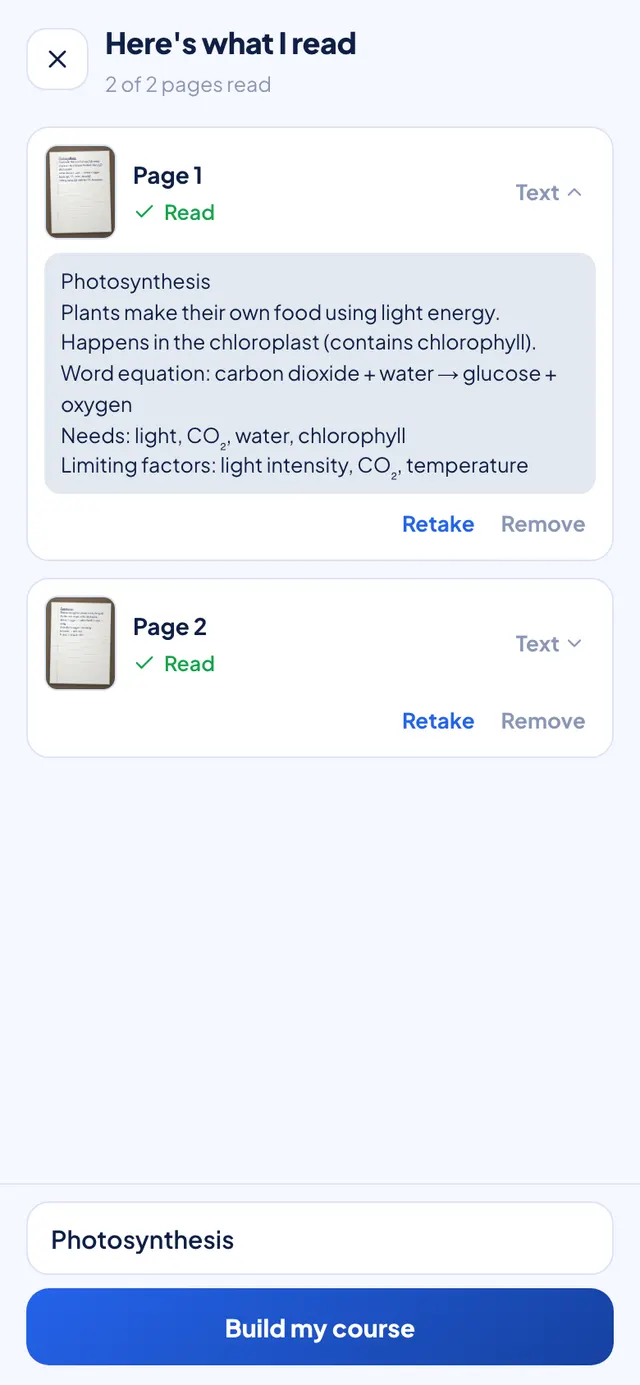
Before Flaevo builds anything, it shows you what it read from every page. If a page came out blurry, you see it straight away and can Retake it, instead of finding out later that a whole section is missing.
A few things help:
- Lay the page flat, in good light, and fill the photo with it.
- One sharp page beats two blurry ones.
- Handwriting works. Neater handwriting works better.
How many photos: Free reads up to 3 photos per course and 5 a day. Pro reads 10 per course and 40 a day, and Max 20 per course and 100 a day. The 7-day trial counts as Pro.
3. Paste your notes
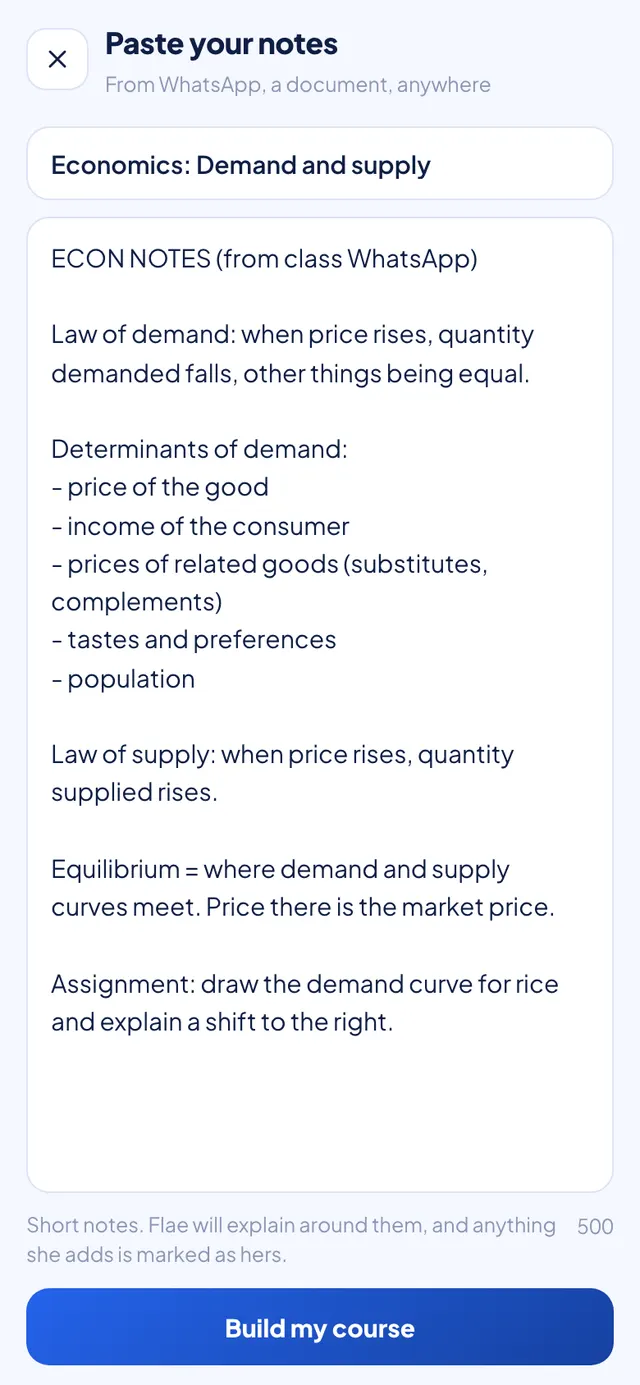
For text that only exists in a chat. Long-press in the box, tap Paste, give the course a name, and tap Build my course.
When your notes are short: Flae adds
Pasted notes and a single photo are often short. A few lines on demand and supply do not make much of a lesson on their own.
So when what you give her is short, Flae is allowed to explain around it: a clearer definition, an example, a step your notes skipped. Everything she adds sits in its own box labelled Flae adds. Everything outside those boxes came from your material.
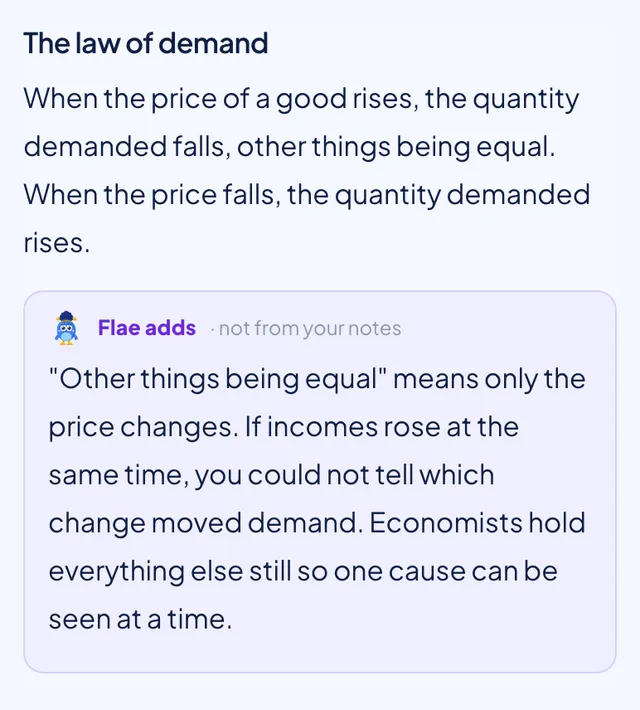
That matters in an exam. If only your lecturer's notes count, read the Flae adds boxes as help, not as course content. Quizzes and flashcards are made from the whole lesson, additions included, so the session screen tells you before you start one.
4. Just a topic
No notes at all? Pick your class, a subject and a topic, and Flae writes the course from the official NaCCA syllabus for JHS and SHS.
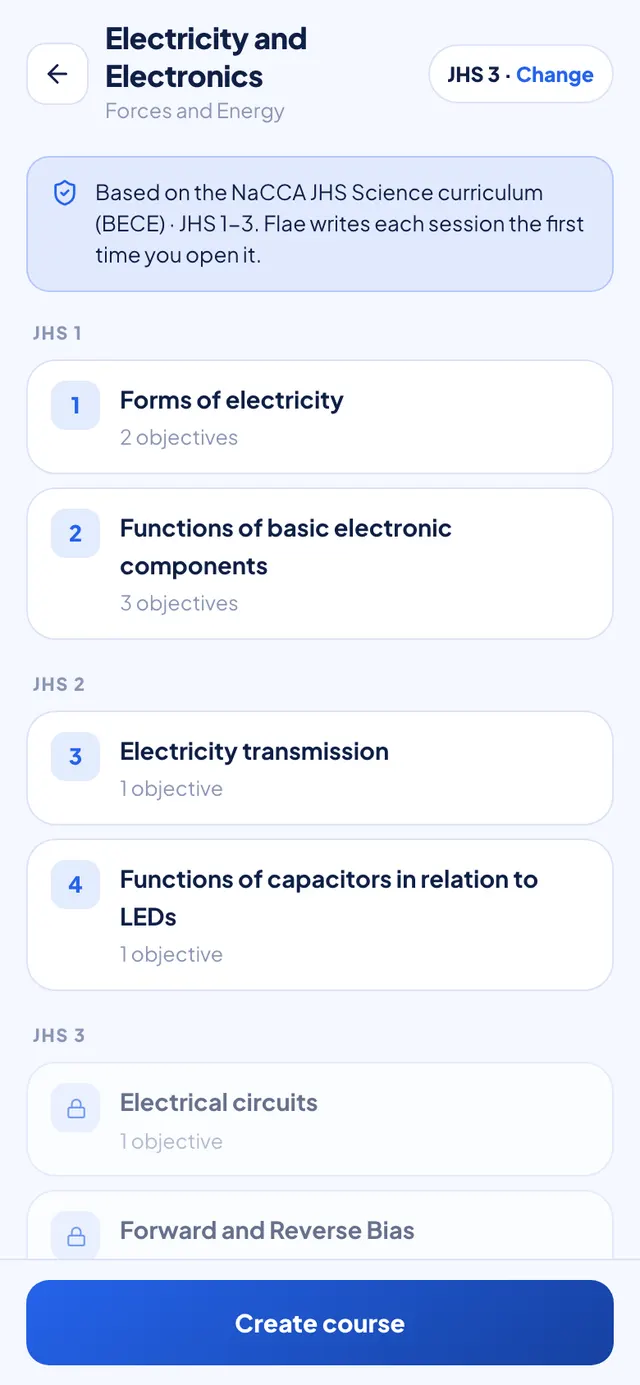
It has its own post, because there is a lot to it.
Which one to use
- You have the lecturer's file: upload it. It is what you will be examined on.
- You have a notebook or a textbook: snap the pages.
- Someone sent the notes in a chat: paste them.
- You have nothing, and you are in JHS or SHS: just a topic.
You can mix them. Upload the handout for one course, snap your notebook for another, and start a third from the syllabus.
Getting it
All four are in the latest Flaevo. Update from the Play Store, or download the APK from flaevoapp.com.
Start with whichever course you are most behind in. Add it the quickest way you can, open the first session, and answer its questions.

Flaevo is a free study app for Ghanaian students. Upload your notes, and I turn them into sessions, flashcards and quizzes you actually remember.
Get Flaevo free on Google PlayFrequently asked questions
Can I make a Flaevo course from photos of my notebook?
Yes. Choose Snap your pages, take a photo of each page or pick them from your gallery, and Flaevo reads them. It shows you what it read from every page before it builds anything, so you can retake a blurry one. Free reads up to 3 photos per course and 5 a day; Pro reads 10 per course and 40 a day; Max reads 20 per course and 100 a day.
Can I paste notes from WhatsApp?
Yes. Choose Paste your notes, give the course a name and paste the text. If the notes are short, Flae explains around them, and anything she adds is marked Flae adds so you can tell it apart from your own material.
What file types can I upload?
PDF, PowerPoint (.pptx), Word (.docx) and plain text. The older .doc and .ppt formats do not work; save them as .docx or .pptx first.
What does "Flae adds" mean?
When what you give Flaevo is short, the lesson would be thin, so Flae may add a clearer definition, a worked example or a step your notes skipped. Everything she adds sits in its own box labelled Flae adds. Everything outside those boxes came from your material.
Study smarter with Flaevo
Turn your notes into flashcards and quizzes, and remember everything with spaced repetition — powered by Flae, your AI tutor.
Try Flaevo free