
Map It Out: Turn a Course Into a Mind Map You Can Click Through
Some courses you can hold in your head. Others are forty slides deep with no clear shape — ten topics in, you've lost track of what connects to what.
Map it out draws the shape for you. Pick a course on the study desk and Flae turns your notes into a mind map: the topics first, then the ideas inside each one, then — the part that actually teaches you something — a card for every idea with what it means, an example, and what it connects to.
It's on the study desk at flaevoapp.com, laptop and desktop only.
How to draw one
Open the study desk, tick one course in the material list, and click Map it out in the tools panel. Tick more than one and it asks which course to map first, rather than guessing.
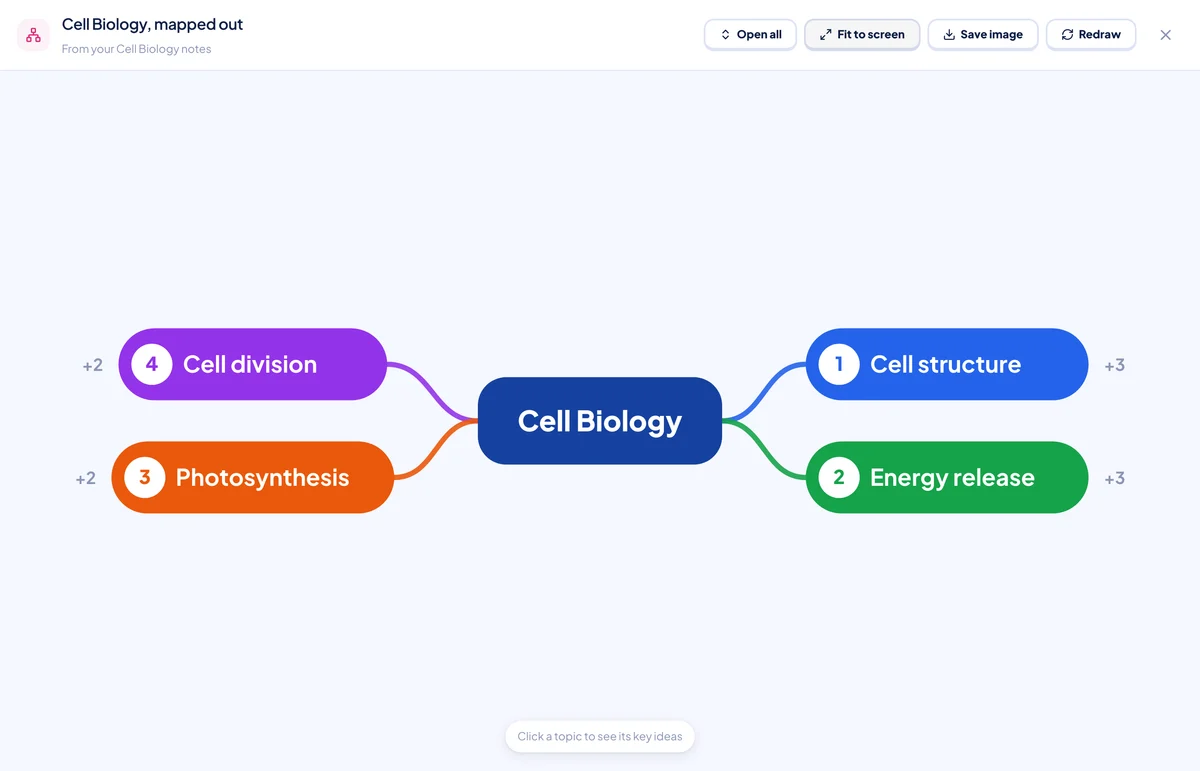
The course sits in the middle. Its topics run clockwise around it — numbered, so "topic 3" means the same thing in the map as it does when you're talking about the course. Click one to open it.
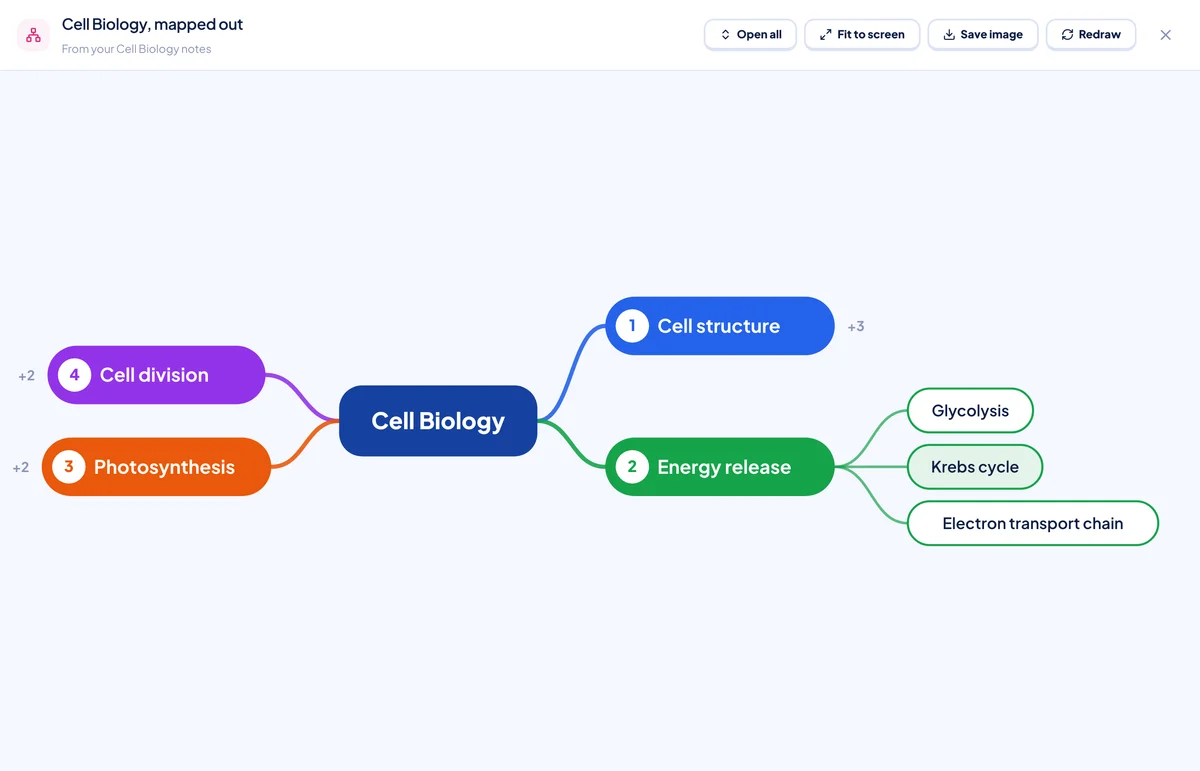
Click an idea, get the card
Opening a topic shows its ideas as small pills. Click one and a card opens beside the map: the idea's meaning in one plain sentence, an example when the notes give one, and — if it connects to an idea in a different topic — a line explaining how.
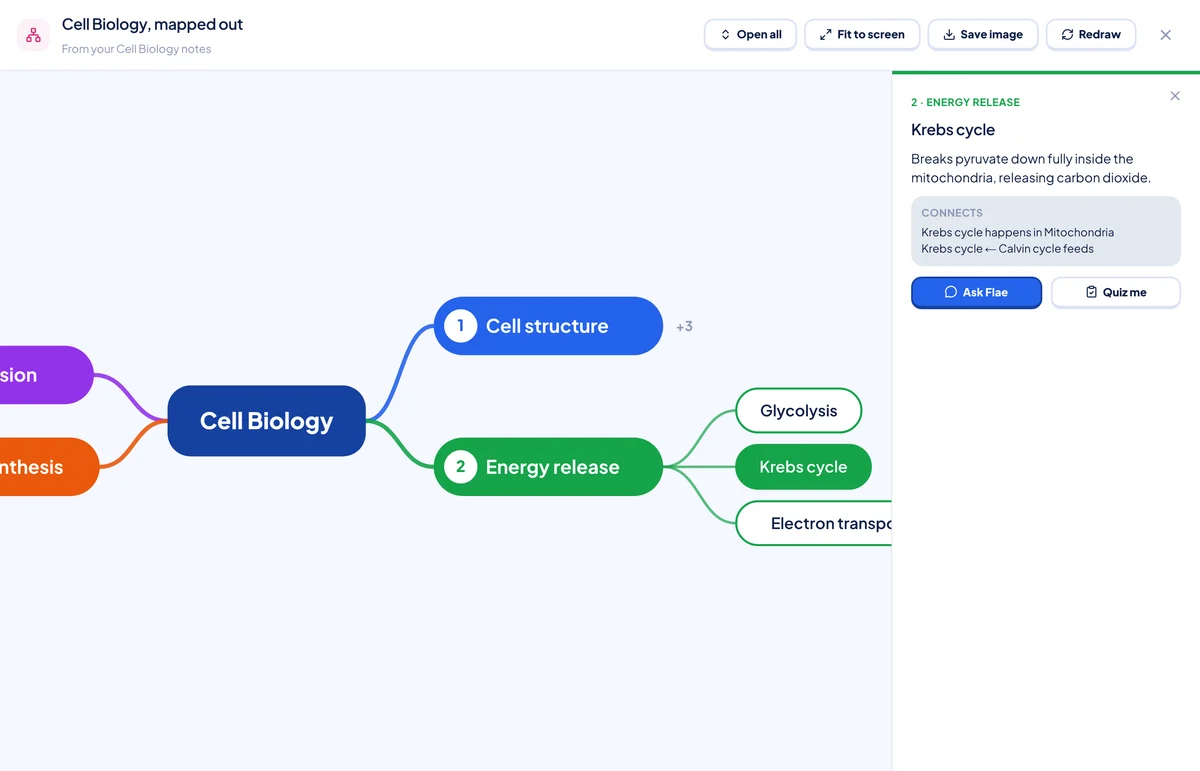
From that card:
- Ask Flae closes the map and drops a question about that exact idea into your chat with Flae — grounded in the course's own notes, not a generic answer.
- Quiz me opens a short quiz on just that idea, still pulled from your notes.
You don't have to read the whole map top to bottom. Open the topic you're shaky on, click the idea you keep mixing up, and go from there.
What Flae is actually allowed to draw
The model doesn't draw the map. It isn't allowed to — Flae sends it your course's notes and asks for structure only: topics, a few ideas under each with a meaning and an example, and up to three links between ideas in different topics ("needs", "causes", that kind of short phrase). Flaevo's own code checks that structure and lays out every box and curve itself. That's what keeps a map looking like the rest of Flaevo, in light and dark, instead of whatever the model feels like drawing that day.
It also means the map comes from the whole course, not just what fits in a chat message. A twelve-slide-deck course is read from all twelve decks, shared evenly, not just the first few that happen to fit.
Other things worth knowing
- Open all / Close all expands or collapses every topic at once; Fit to screen re-centres the map if you've dragged or zoomed it out of view.
- Save image downloads the whole map, fully opened, as a PNG — useful if you want it outside Flaevo.
- A map already drawn for a course opens instantly and free, every time, until the notes behind it change. Redraw always draws a fresh one and spends a credit, even if nothing changed.
Who it's for
If a course already makes sense to you, you probably don't need this. It's for the course where you can recite the topics but not how they fit together — or the one you're about to be examined on and want to see whole before you dive back into the detail.
Getting it
Map it out is live now on the study desk, at flaevoapp.com, on a laptop or desktop browser. It isn't in the Android app.
Open a course you're stuck on, tick it, and click Map it out. If something about the map looks wrong, Redraw — Flae is reading from the same notes, so a second pass usually catches what the first one missed.

Flaevo is a free study app for Ghanaian students. Upload your notes, and I turn them into sessions, flashcards and quizzes you actually remember.
Get Flaevo free on Google PlayFrequently asked questions
Does Map it out work in the Android app?
Not yet. It lives on the study desk, which only shows on a laptop or desktop browser window (1024px or wider) at flaevoapp.com. Open Flaevo on your phone and the desk — and Map it out with it — isn't there.
Does drawing a map cost anything?
One of your daily notes — the same allowance writing a course's notes uses: 6 a day on Free, 40 on Pro, unlimited on Max. Reopening a map you've already drawn for that course is free, every time, for as long as the notes behind it don't change. Only drawing it fresh, or hitting Redraw, spends one.
Can I map more than one course at once?
One map per course. If you have several courses ticked on the desk, Map it out asks which one before it draws anything, rather than mapping them all into one tangle.
Can I save the map as a picture?
Yes. Save image downloads the whole map, every topic open, as a PNG you can drop into a document or print.
Study smarter with Flaevo
Turn your notes into flashcards and quizzes, and remember everything with spaced repetition — powered by Flae, your AI tutor.
Try Flaevo free