
Beside Flae: Read a Note With the Tutor Open Next to It
Asking the tutor about something you just read usually means leaving the note, finding the chat, and explaining what you were reading in the first place — by which point you've half forgotten the question.
Beside Flae keeps the note on screen. On a laptop, open any written course note and you can bring up a real conversation with Flae right next to it — not a separate, half-blind version of the tutor, the same one, reading the same note you are.
Opening it
Open a course, open one of its written sessions to read it, and on a wide window you'll see Beside Flae in the top right.
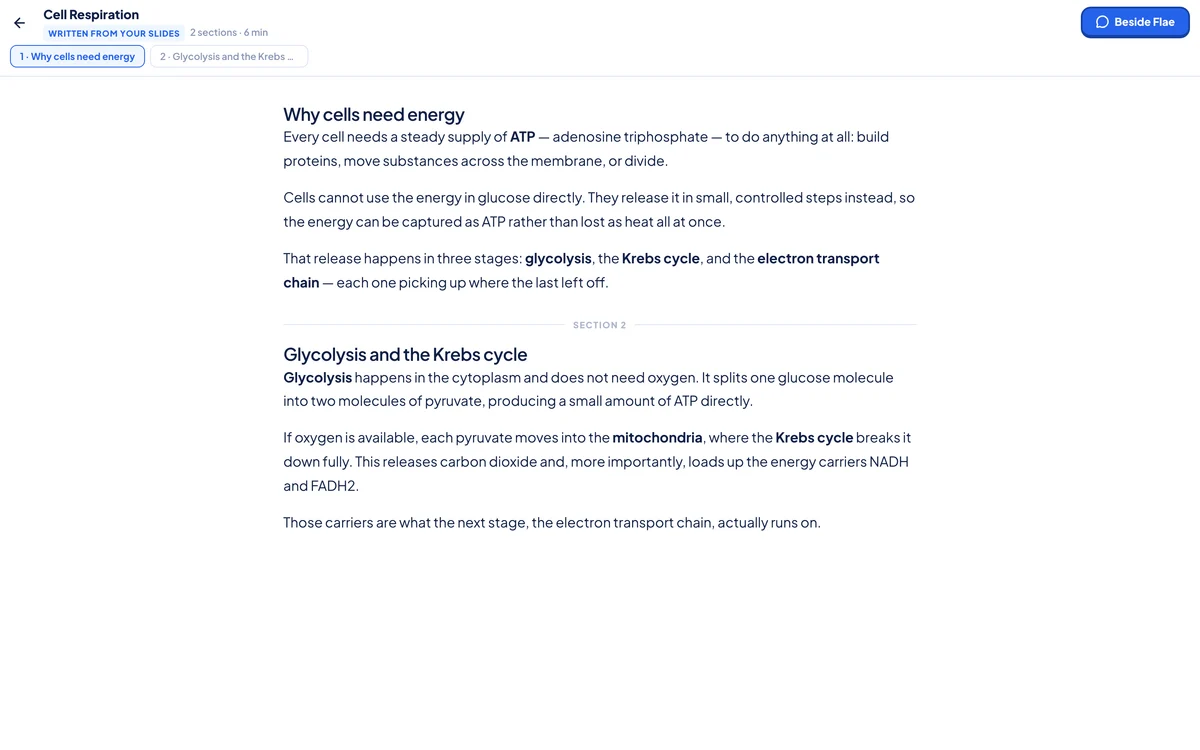
Click it and the note shifts to one side, Flae opens on the other.
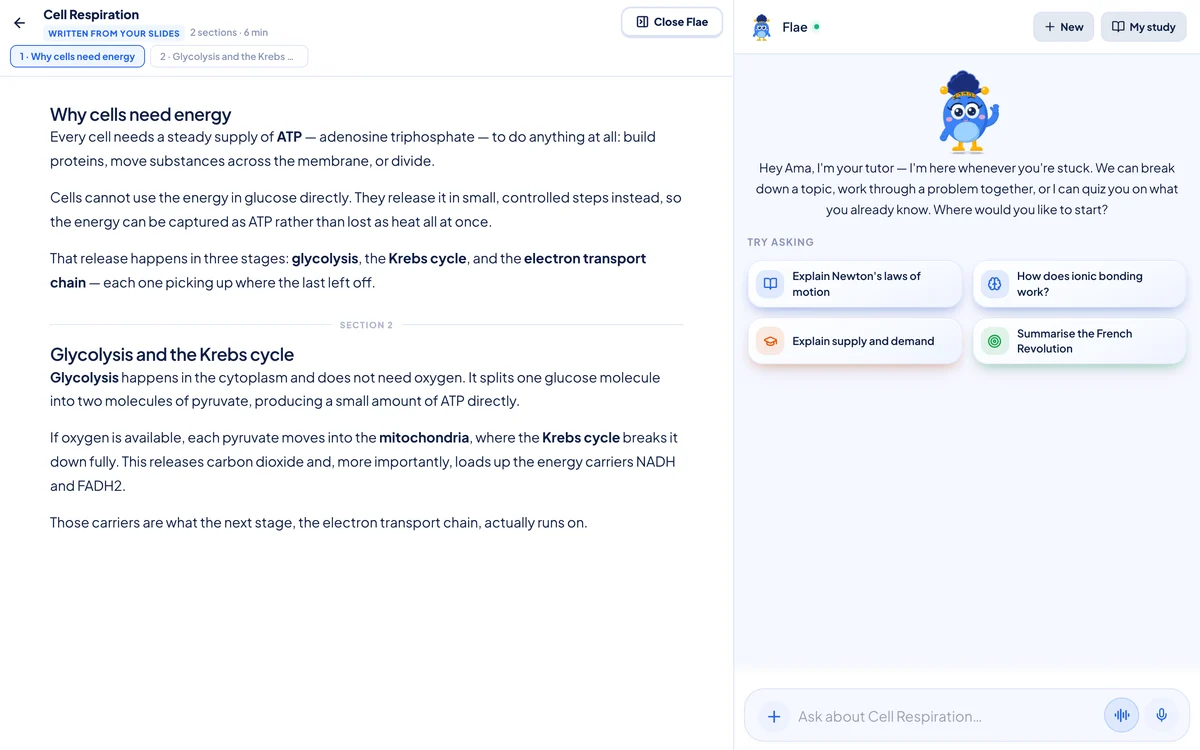
It's the real tutor — the same one you use everywhere else in Flaevo, with its full chat history, its "Try asking" suggestions, its voice input. It just happens to be grounded in this note. Ask a plain question and Flae answers from it.
Highlight it, ask about it
The part that actually saves you re-explaining yourself: select a confusing passage in the note, and a small Ask Flae button appears right above your selection.
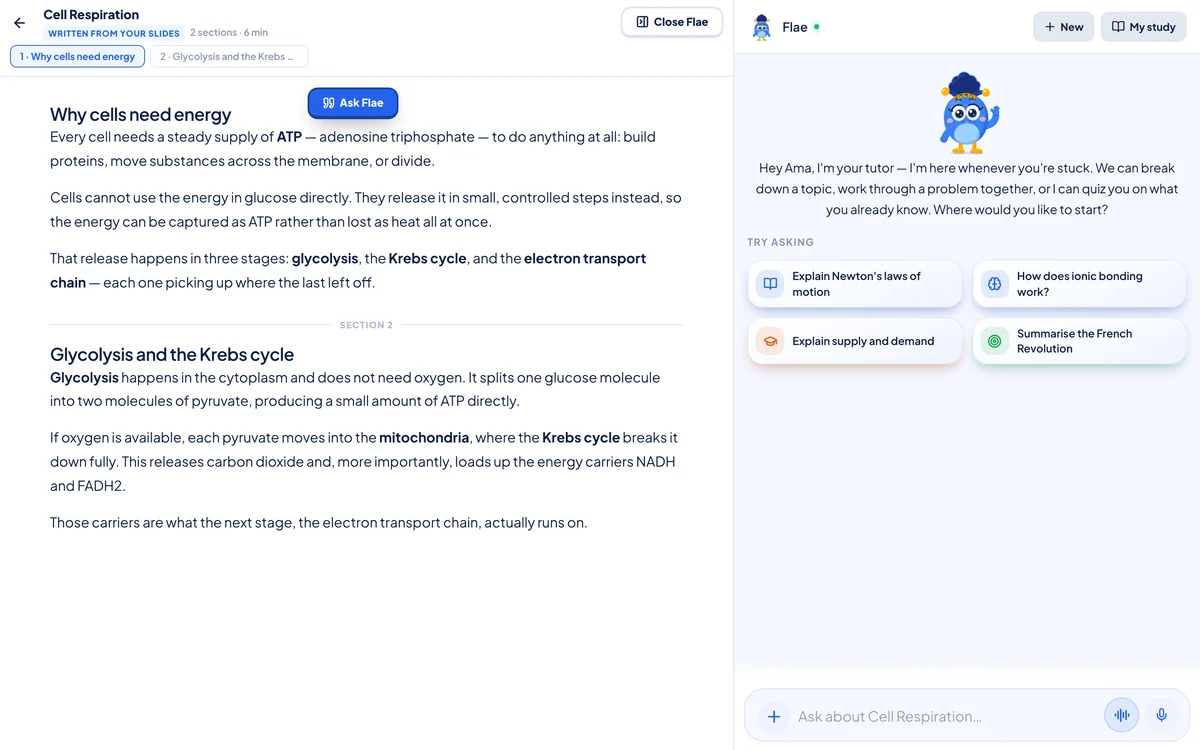
Click it, and the passage lands above the message box as a quote — "From your notes" — ready to ask about.
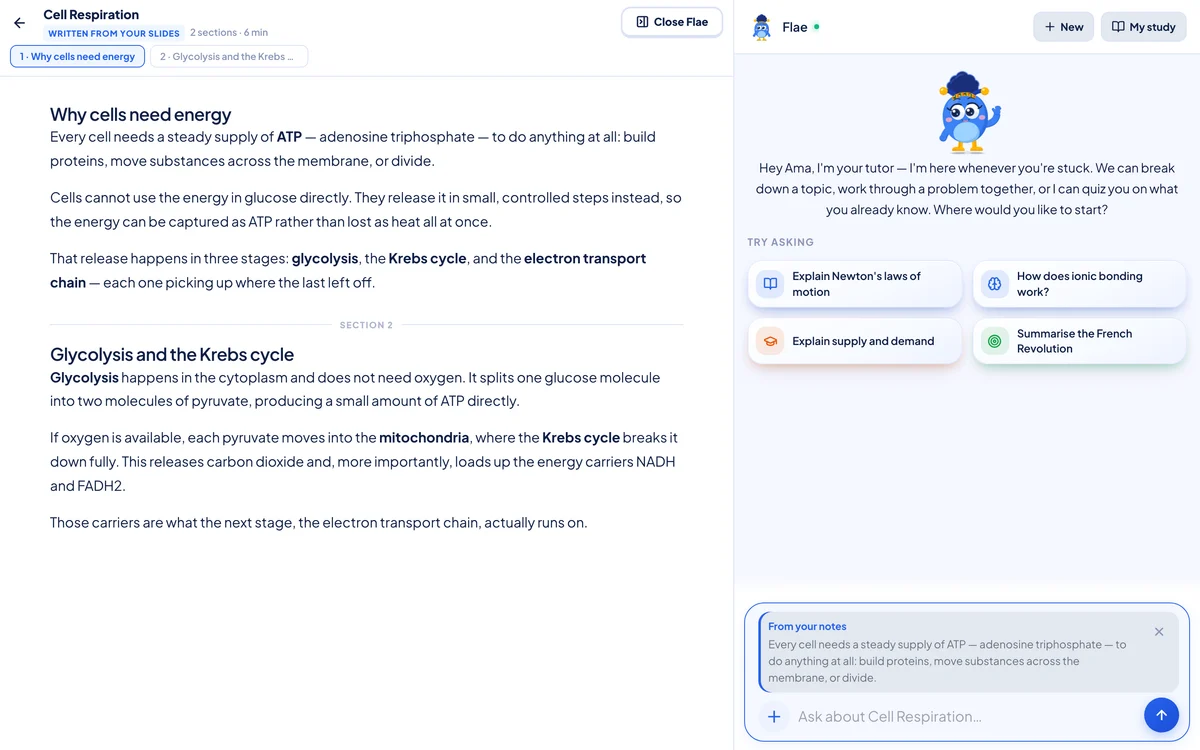
From there you can type a specific question ("why does it need oxygen for this part?") or just hit send: with nothing typed, Flae takes it as "Explain this part." Either way, she's answering about the exact sentence you got stuck on, not the topic in general.
Why it isn't limited to what's on screen
Flae isn't just reading the paragraph you highlighted, or only the section you've scrolled to. The whole note is handed to her, broken into its sections, and for every question she picks out whichever section actually answers it. Ask about something from section 4 while you're still reading section 1, and she'll find it.
That's also why it's worth asking real questions here rather than only using the highlight button: "how does this connect to what we covered on respiration" works, because Flae can see the rest of the note too, not just the bit in front of you.
Closing it
Close Flae, in the same spot the button was, or Esc, closes the tutor pane first and leaves the note open — press it again, or Esc again, to leave the note too. Shrink the browser window below laptop width and the pane closes itself; a conversation that needs two columns doesn't try to survive in one.
Where it doesn't show up
Beside Flae is for a note you opened from a course under Study. It won't appear if you're reading a note from inside the tutor's own notes shelf — a tutor next to a tutor would just be two conversations at once, not one useful one.
Getting it
Beside Flae is live now at flaevoapp.com, on a laptop or desktop browser — it isn't in the Android app. Open a course note, click Beside Flae, and try highlighting the next sentence that doesn't quite make sense instead of rereading it a third time.

Flaevo is a free study app for Ghanaian students. Upload your notes, and I turn them into sessions, flashcards and quizzes you actually remember.
Get Flaevo free on Google PlayFrequently asked questions
Does Beside Flae cost extra, or need a paid plan?
No. Opening a note beside Flae is free on every plan. You're using your normal tutor messages, the same ones you'd use anywhere else in the app — there's no separate limit for asking from inside a note.
Does Beside Flae work on my phone?
No, laptop or desktop only. The note itself opens fine on a phone — it's the two-column "beside" view, which needs a wide window, that's web only. Narrow the browser window below laptop width and Flae's pane closes on its own.
Does Flae only see the part of the note I'm looking at?
No. It's grounded in the whole note — every section — and picks out whichever part your question is actually about. You can be reading section 1 and ask about something from section 4.
If I highlight something, does it get sent straight away?
No. Highlighting and tapping Ask Flae loads the passage as a quote above the message box — you still have to type your question and send it, or just hit send and Flae explains the passage.
Study smarter with Flaevo
Turn your notes into flashcards and quizzes, and remember everything with spaced repetition — powered by Flae, your AI tutor.
Try Flaevo free