Build an Avatar That Looks Like You, and Share Your Profile
Your profile in Flaevo used to be a long page of forms. Now it is something you might actually want to show someone.
An avatar that looks like you
The old avatars were a handful of pictures. The new ones are drawn, and you build them yourself.
Open the You tab and tap your avatar. You can start in two ways.
Ready-made. 36 looks to pick from, with every skin tone, hair type and style. Pick one and you are done, or use it as a starting point.
Build. Choose every part yourself:
- Face: 15 skin tones, eyes, brows, nose, mouth, freckles and blush
- Hair: 20 styles, from a low cut, puffs, braids, cornrows and locs to a bob, a ponytail, a hijab and a headwrap, in 10 colours
- Facial hair: 15 styles, in the colour of your hair
- Extras: headwear, glasses, earrings, piercings and something round your neck
- Clothes: a tee, a hoodie, a collar, a school uniform or a smock, in 10 colours, on the background colour you like
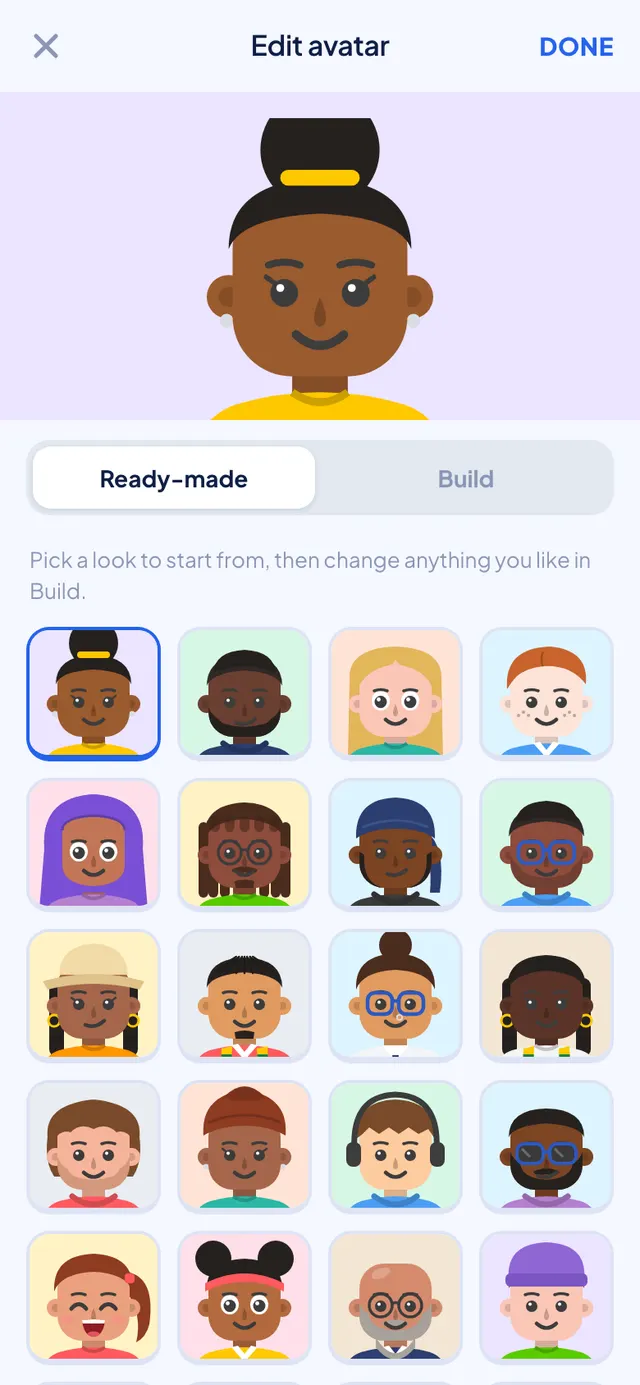
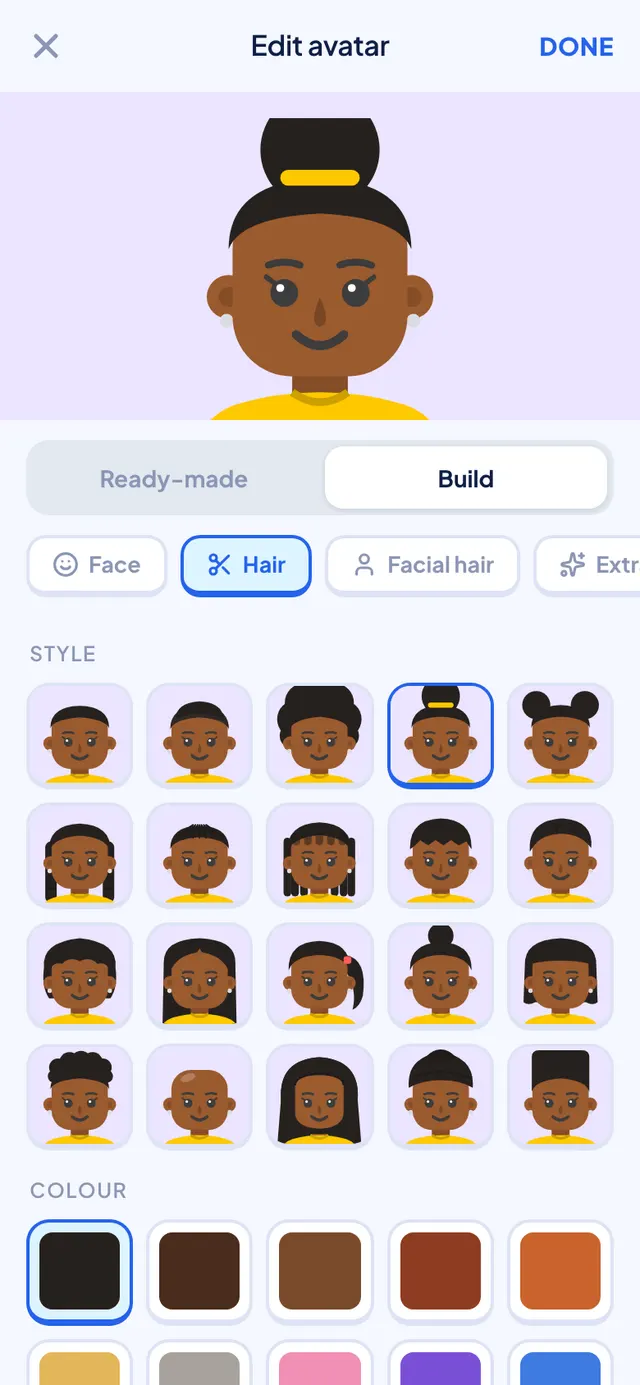
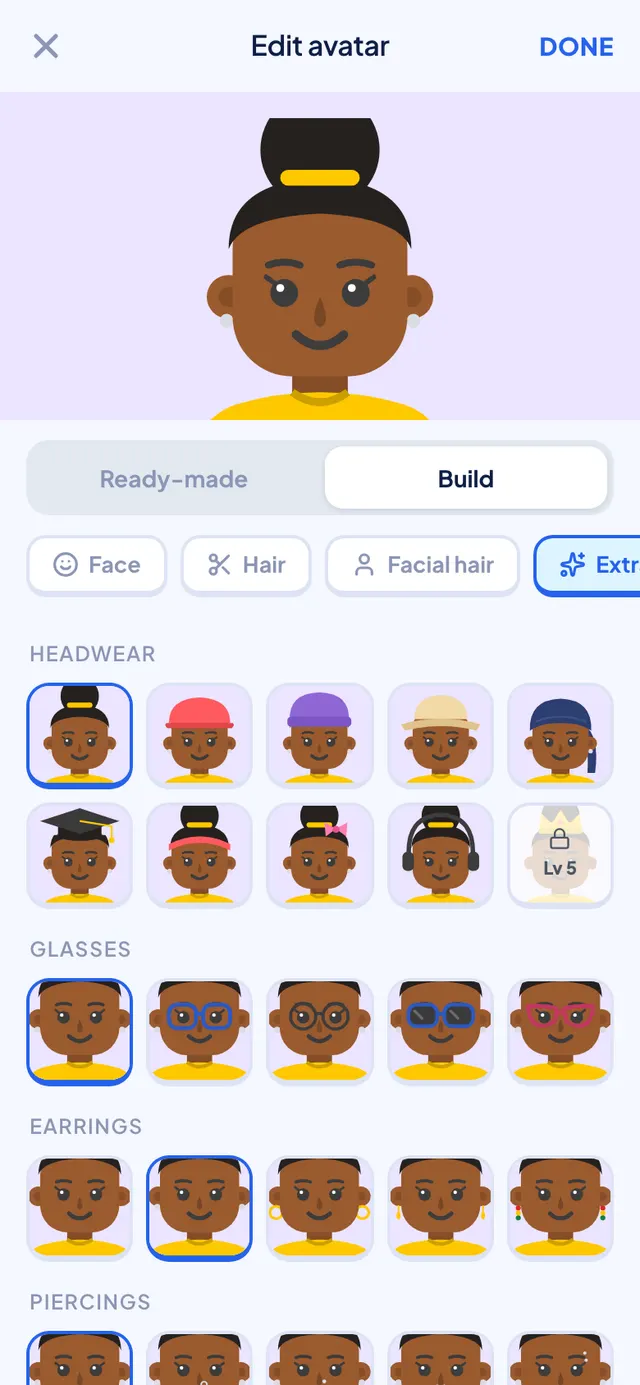
Every option shows on your own face, so you see what you are picking.
Tap Done and it saves straight away. One thing has to be earned: the crown unlocks at level 5.
One page for you
The profile is now one page instead of two tabs and a stack of forms.
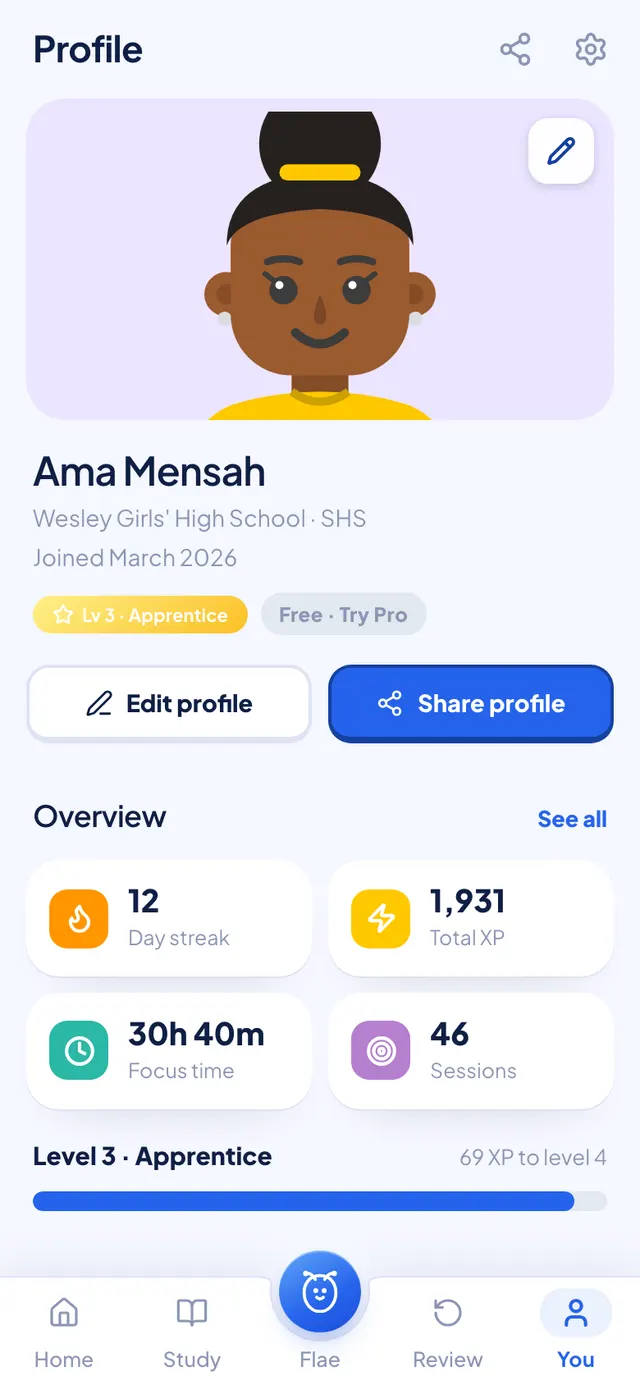
At the top: your avatar, your name, your school and your level. Under that, your streak, XP, focus time and sessions, and how far you are from the next level. See all opens the full statistics.
Everything you type about yourself, like your name, school, subjects, how you like to learn and the exam you are working towards, now sits behind one Edit profile button. Flae uses it to pitch her explanations at your level.
Share your profile
Tap Share profile and Flaevo makes you a card: your avatar, your name, your level, your streak, and how much you have studied. There is a size for chats and a taller one for WhatsApp Status.
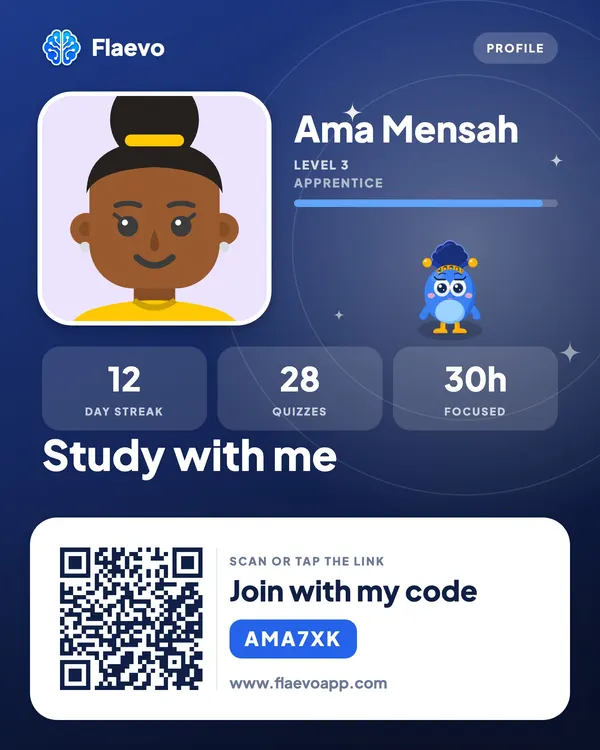
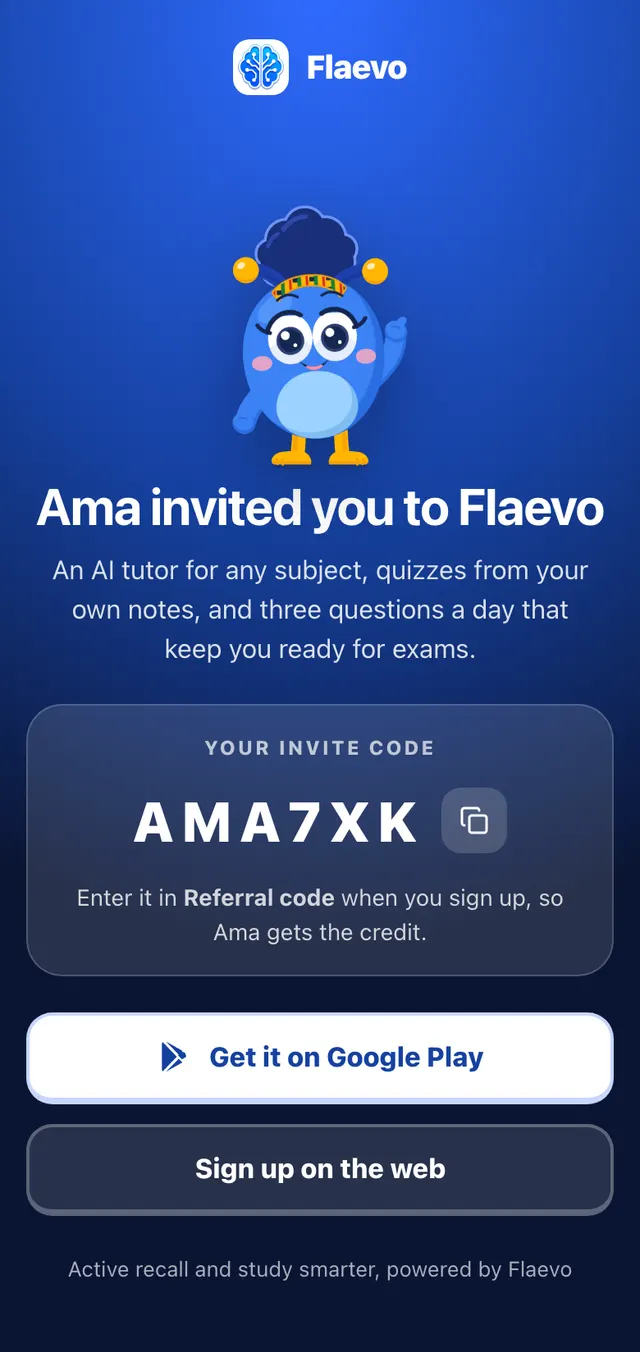
The bottom of the card is the useful part for a friend: a QR code and your invite code. Scanning it opens a page that says who invited them, shows the code, and takes an Android phone straight to Google Play.
Invite friends, get Pro
Inviting friends earns you free days of Pro, and it all lives in one place on your profile.
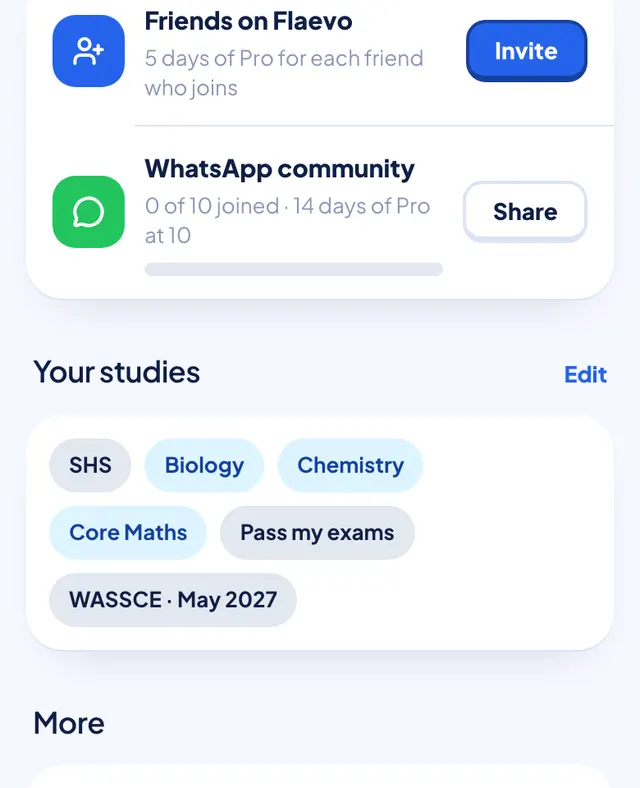
- Friends on Flaevo. You get 5 days of Pro for each friend who signs up with your code and starts studying with Flae. They enter it in Referral code when they sign up.
- The bonus. When 10 of your friends are using Flaevo, you get 14 more days of Pro. The bar shows how close you are.
- The WhatsApp community. Share your link to the Flaevo student community so you can study with other students there.
Getting it
Update Flaevo from the Play Store, or download the latest APK from flaevoapp.com. Then open You, tap your avatar, and make it look like you.

Flaevo is a free study app for Ghanaian students. Upload your notes, and I turn them into sessions, flashcards and quizzes you actually remember.
Get Flaevo free on Google PlayFrequently asked questions
How do I change my avatar in Flaevo?
Open your profile (the You tab) and tap your avatar, or the pencil on it. Pick one of 36 ready-made looks, or switch to Build and choose your skin tone, hair, facial hair, glasses, headwear, earrings and clothes. Tap Done and it saves straight away.
Can I change a ready-made avatar?
Yes. A ready-made look is a starting point. Pick one, then switch to Build and change anything you like.
How do I get free Pro days on Flaevo?
Invite friends. You get 5 days of Pro for each friend who signs up with your code and starts studying with Flae, and 14 more days when 10 of your friends are using Flaevo.
What is on my Flaevo profile card?
Your avatar, your name, your level, your streak, how many quizzes you have done and how long you have focused, plus a QR code and your invite code so a friend can join. It comes in two sizes: one for chats and a taller one for WhatsApp Status.
Study smarter with Flaevo
Turn your notes into flashcards and quizzes, and remember everything with spaced repetition — powered by Flae, your AI tutor.
Try Flaevo free