Meet the New Flae: She Says Hello, and Has a Mood for Every Moment
Flae is the study partner inside Flaevo: the one who explains, quizzes you and keeps your streak honest. In this update she got the most attention she has had since she arrived.
A new look
Same Flae, polished. She is still the blue egg with the antennae, but now:
- she stands on her own feet, instead of floating,
- she wears her hair in an afro puff tied with a kente headband,
- her face shows more, because her eyelids move with her mood: sleepy, sly, sad, or squeezed shut with joy,
- and she has proper hands, so she can wave, point, think with a hand on her chin, or fold her arms.
She also dresses for the moment. Glasses when she is in study mode, shades when you hit a streak milestone, and a few more you will spot around Flaevo.

She says hello, out loud
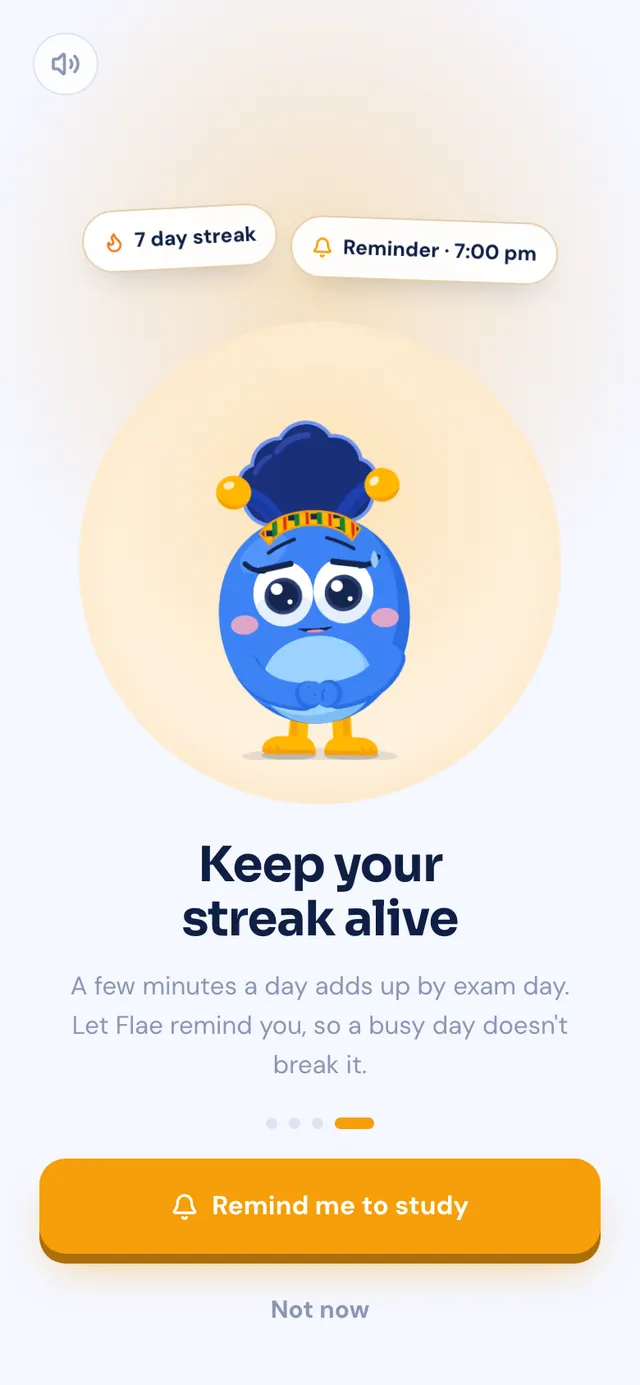
The first time you open Flaevo, Flae introduces the app herself, on four screens, and says each one out loud. Her mouth moves with her words.

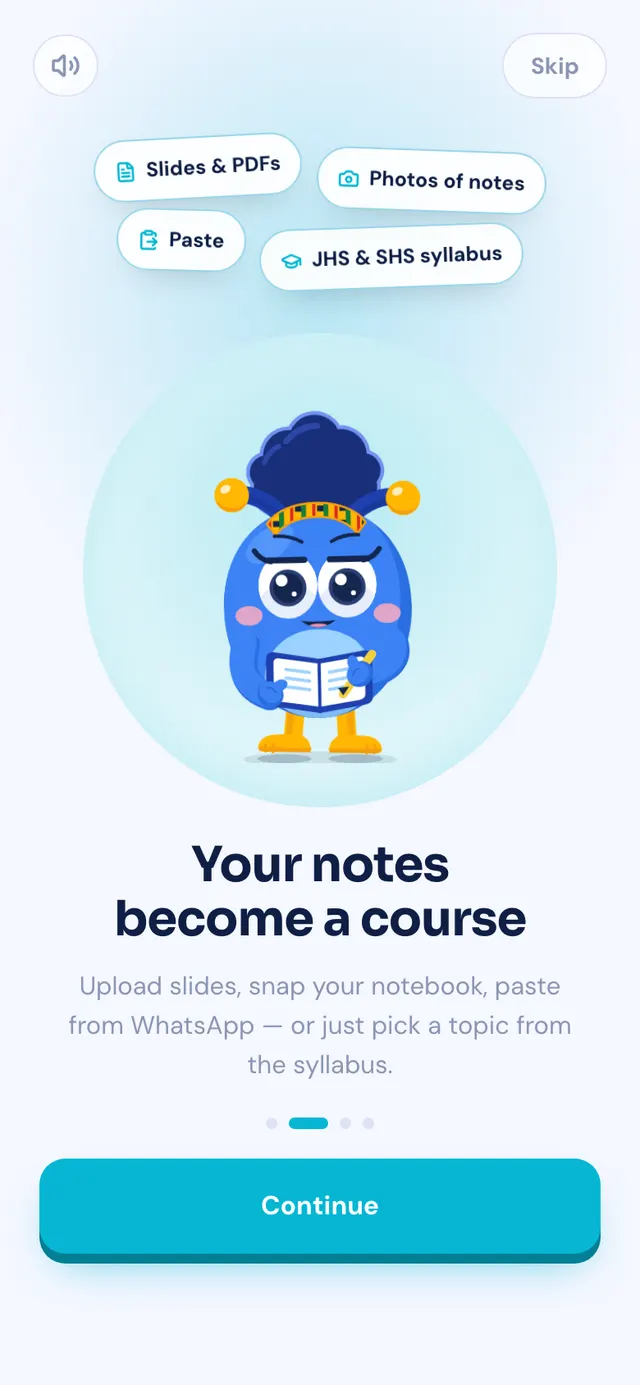
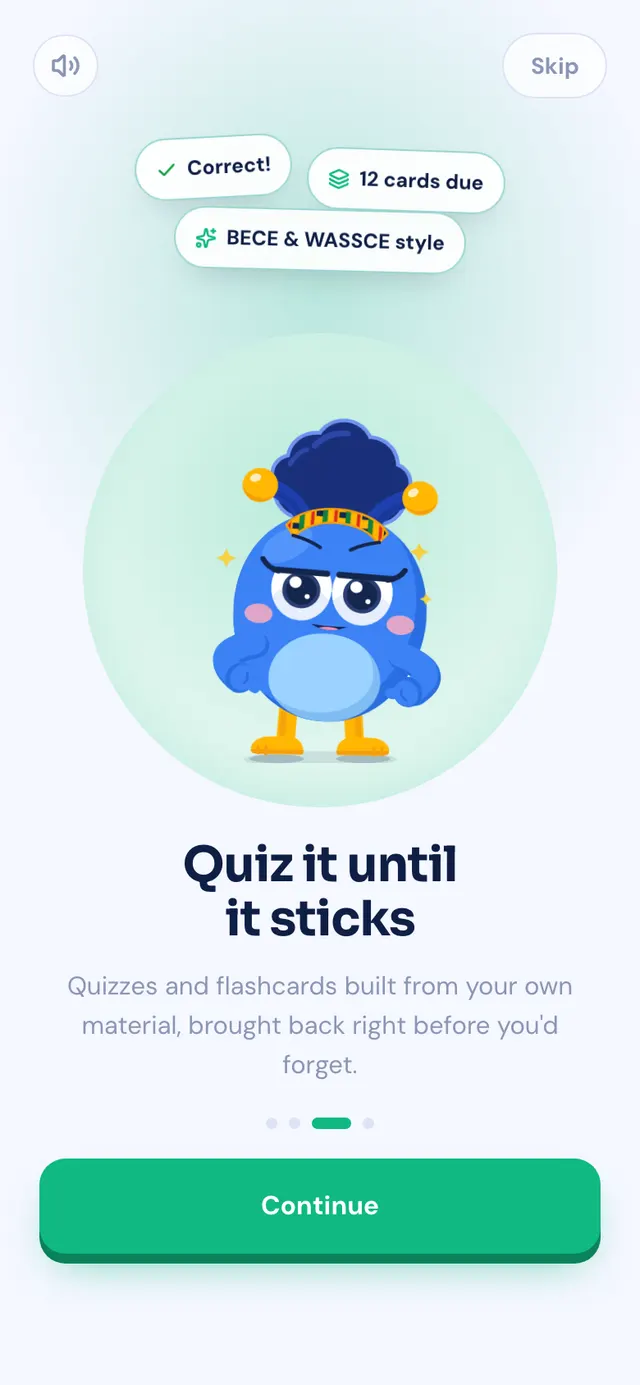
Each screen has its own pose and colour. Swipe on a phone.
A few things we were careful about:
- It works on bad data. The voice is recorded and built into the app, not downloaded. It is the first thing a new student hears, often on weak data, and Flae should never be silent while a server wakes up. All four clips together are about 110 KB.
- One tap mutes her. The speaker button at the top silences every screen, and Flaevo remembers. Opening the app in class is not a problem.
- Her mouth keeps time. The lip movement follows the sound itself, so it opens and shuts with the words and closes at the pauses.
- She says her name. "Hello! I'm Flae." Rhymes with day.
On the last screen she asks if you want study reminders, and says why: to keep your streak alive. Before, the phone's permission box just appeared on its own, with no reason given.
Six moods on your home screen
Flaevo's home-screen widgets now show Flae in one of six moods, and the whole card changes with her.
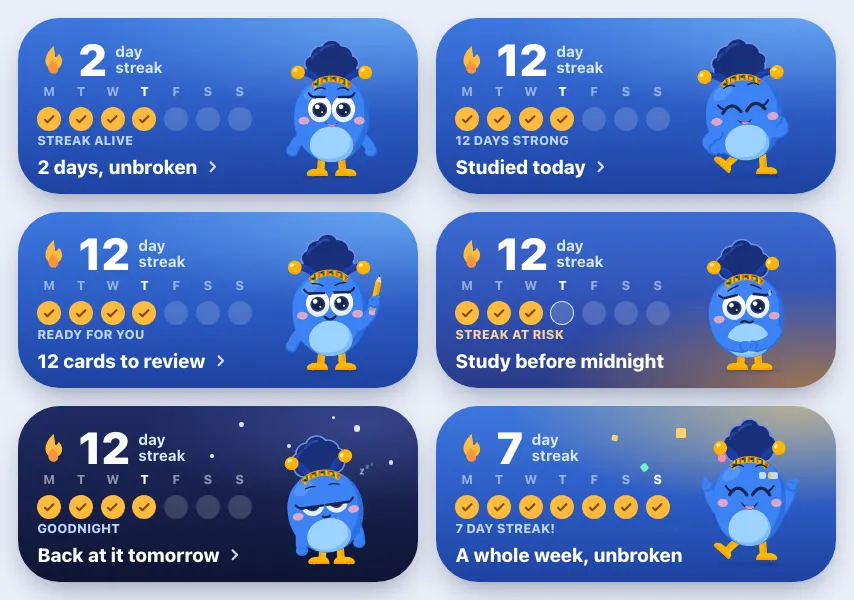
- Happy most of the time.
- Proud when you have studied today and have a streak of three days or more.
- Study mode when you have review questions waiting.
- Worried after 6pm, when your streak is alive and you have not studied yet today.
- Sleepy from 10pm to 5am, under a night sky.
- Celebrating on the day you hit a streak milestone, like 7 or 30 days.
Her mood changes even when the app is closed. Your phone works it out from the time and what you last did, so she falls asleep at 10pm on her own, and stops worrying about a day that is already over.
There are three widgets: the study widget (the big one above), a small streak widget, and an Ask Flae bar that opens a chat or starts voice. Tap anywhere on the study widget to go straight to what it is showing: your reviews if any are waiting, otherwise your next course.
To add one, long-press an empty spot on your home screen, tap Widgets, and find Flaevo.
Smaller places she turns up
- Reminders carry her face: in study mode with your Daily 3 question, smiling when she reminds you about your streak.
- The bottom bar now curves around a round Flae button in the middle, which opens her chat from anywhere in the app.
- Long-press the Flaevo icon for Ask Flae, Review, Study and Flashcards.
Getting it
Update Flaevo from the Play Store, or download the latest APK from flaevoapp.com. Then add the widget, and see what mood she is in.

Flaevo is a free study app for Ghanaian students. Upload your notes, and I turn them into sessions, flashcards and quizzes you actually remember.
Get Flaevo free on Google PlayFrequently asked questions
How do you say Flae?
Like "flay". It is the first thing she says when you open Flaevo for the first time: "Hello! I'm Flae."
Can I turn Flae's voice off on the first screens?
Yes. The speaker button at the top mutes her for every screen, and Flaevo remembers it. One tap if you are opening the app in class.
Why does Flae look different on my home-screen widget?
The widget shows her in one of six moods, worked out from the time and your studying: happy by default, proud when you have studied today, in study mode when you have reviews due, worried in the evening if your streak is at risk, sleepy at night, and celebrating on a streak milestone. It changes even when the app is closed.
Does Flae move on the widget?
No. Android widgets cannot play animations, so on the home screen she changes mood rather than moving.
Study smarter with Flaevo
Turn your notes into flashcards and quizzes, and remember everything with spaced repetition — powered by Flae, your AI tutor.
Try Flaevo free