
The Launchpad: How Flaevo Keeps Everything Flae Makes for You
You ask Flae for a quiz in the middle of a session, then a set of flashcards, then a summary of week 2. An hour later, where did they all go?
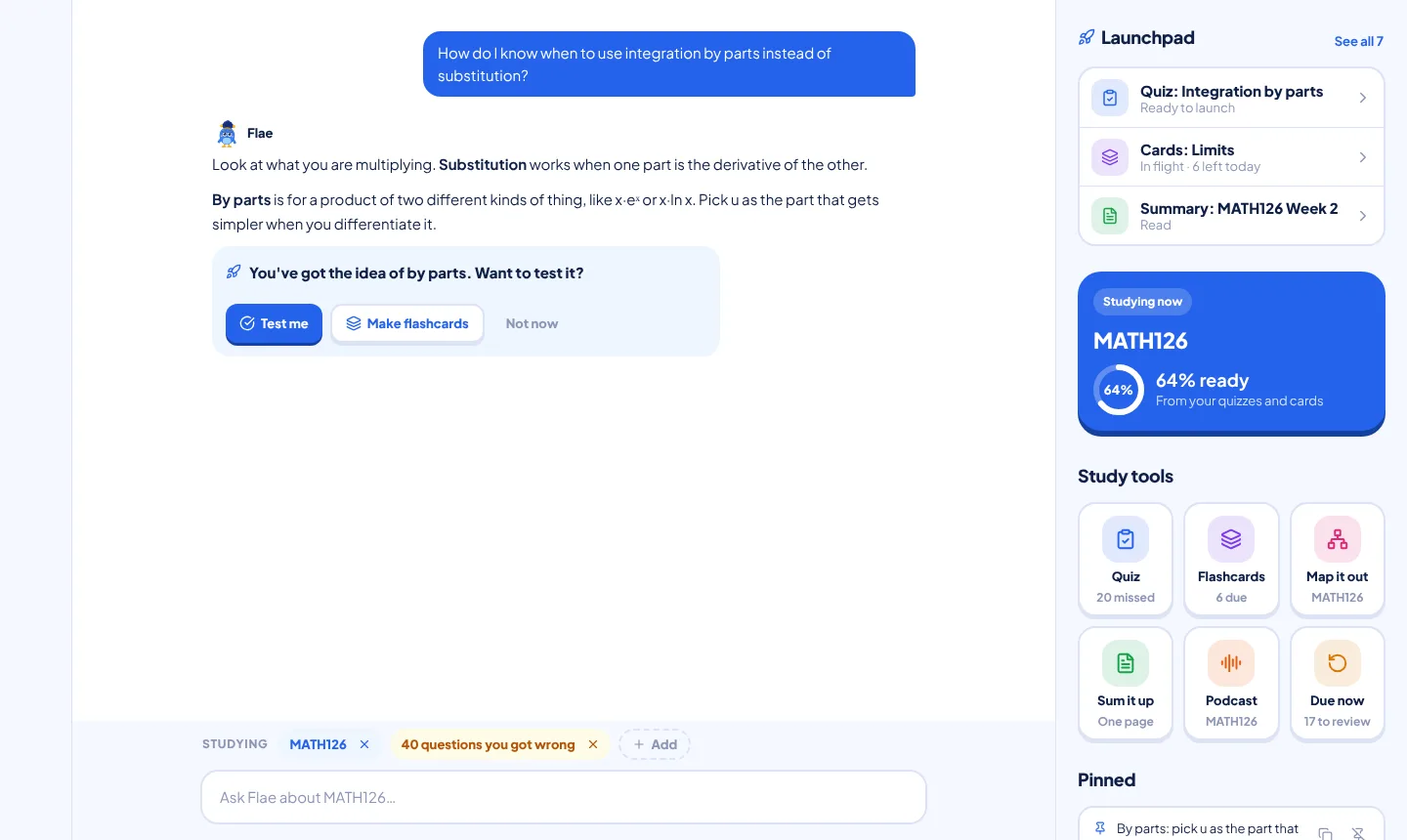
On a laptop, they go to the Launchpad: a shelf at the top of the Study Desk's side panel that holds everything Flae has made for you, so you can pick each one up when you are ready and not when it was written.
Asking for something
You do not need a menu. Say it to Flae in plain words:
- "Set me a quiz on integration by parts"
- "Make flashcards from my slides"
- "Summarise week 2"
- "Map out MATH126"
- "Make a podcast of this"
Flae reads those as orders, not questions. "What is a good way to quiz myself?" still gets an answer from her, because it is a question. An order goes to the Launchpad instead, and it does not use up one of your messages to Flae.
You can also press a tile in the Study tools below the Launchpad. Either way, what gets used is whatever the Studying chips above the message box say. Add a course, a folder or a set of slides with + Add, and the quiz, the cards and the summary are made from that material.
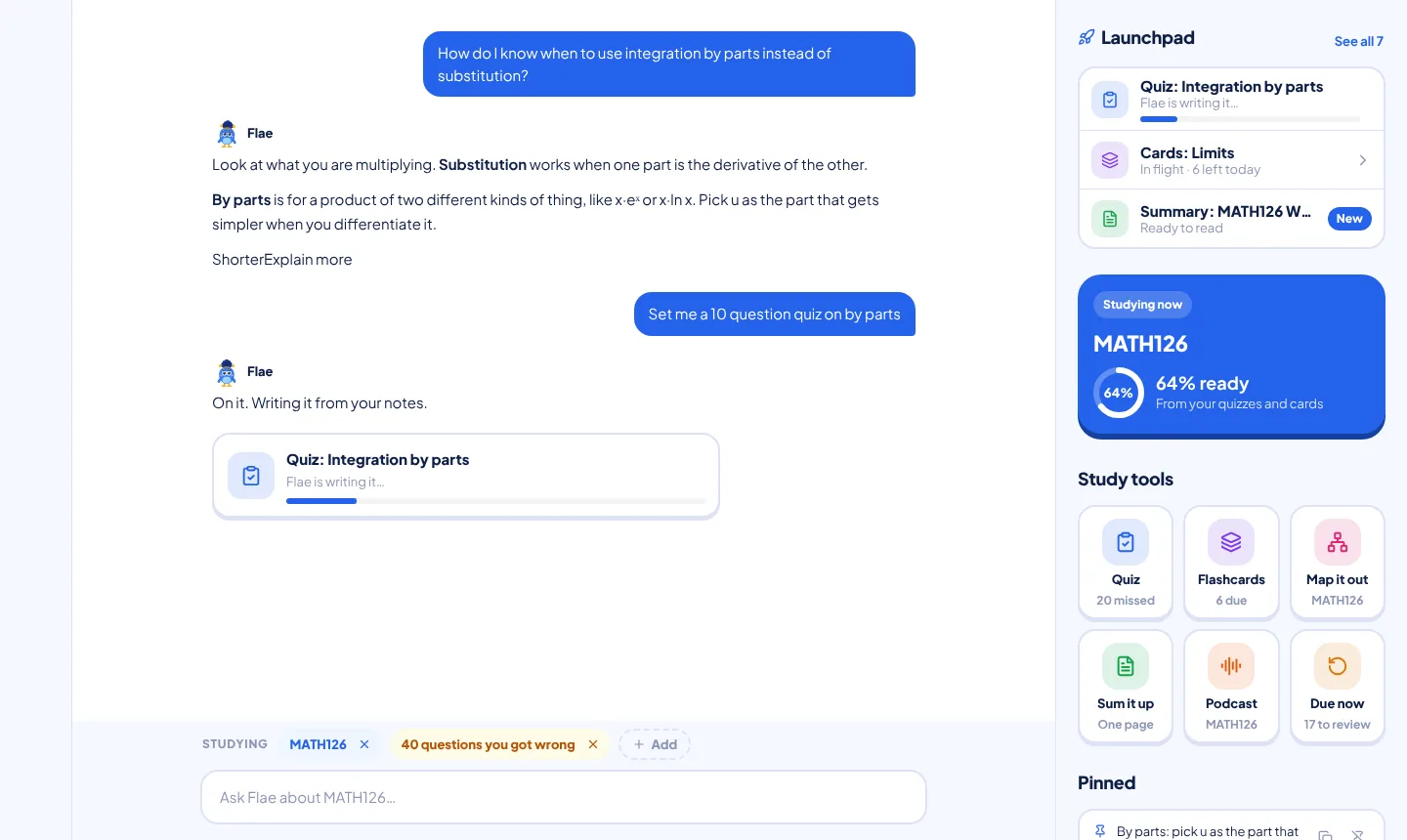
Ready to launch, In flight, Landed
While Flae is writing, the chat shows a card and the Launchpad shows a row with a progress bar. When it is done, it sits in the panel with a status:
- Ready to launch: made, and you have not started it.
- In flight: you started and have not finished. A quiz shows how many questions you have answered. Flashcards show how many are left today.
- Landed: done. A submitted quiz shows your score, for example 7 of 10. A deck says "All landed for today".
A new item wears a New badge until you open it.
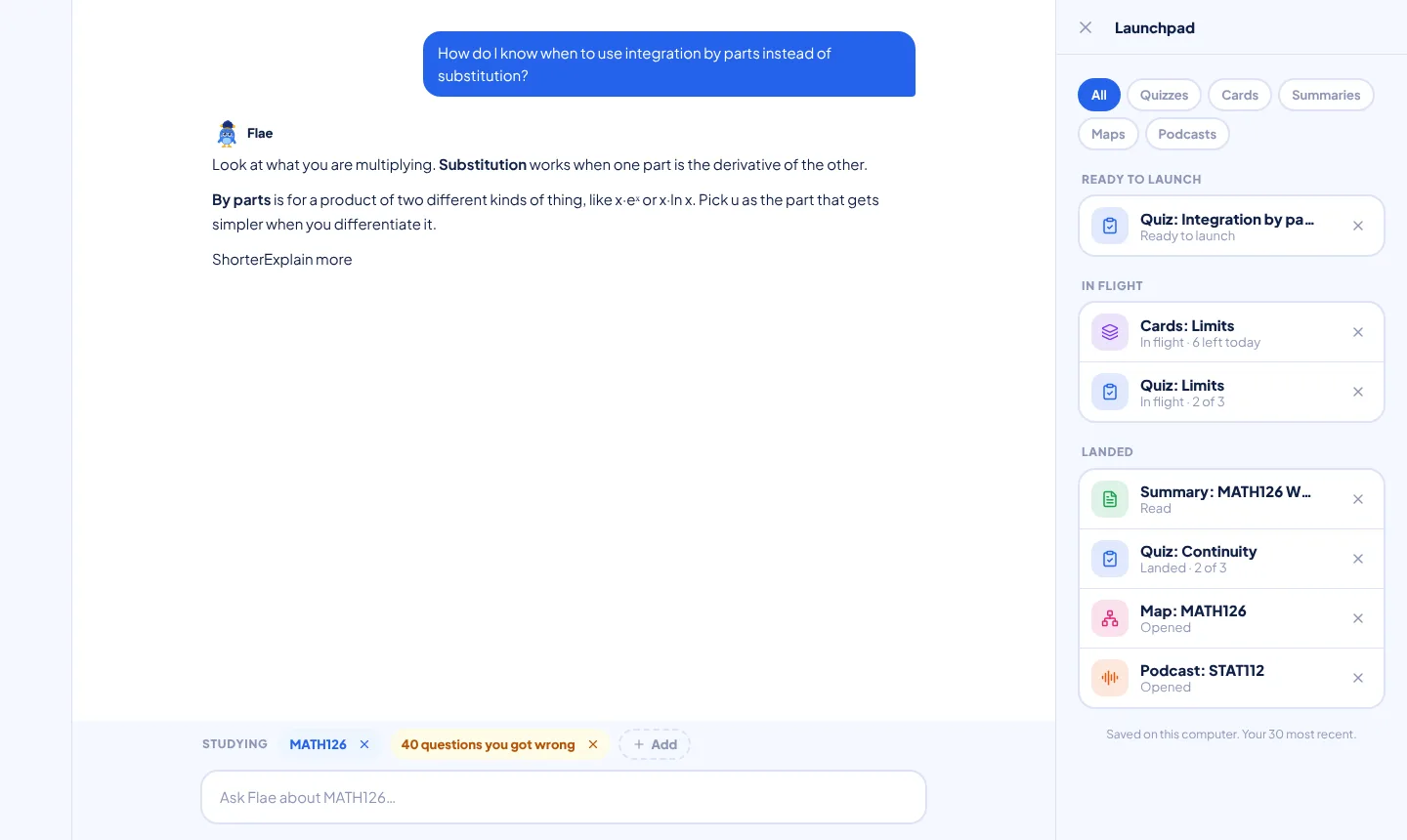
Press Start, and keep the chat
Press Start and the quiz, deck or summary opens in the panel beside the chat, not over it. That is the point of the desk: stuck on question 4, you can ask Flae about it without leaving the quiz. Flae can see what is open, and while a question is unanswered she gives a hint and not the answer.
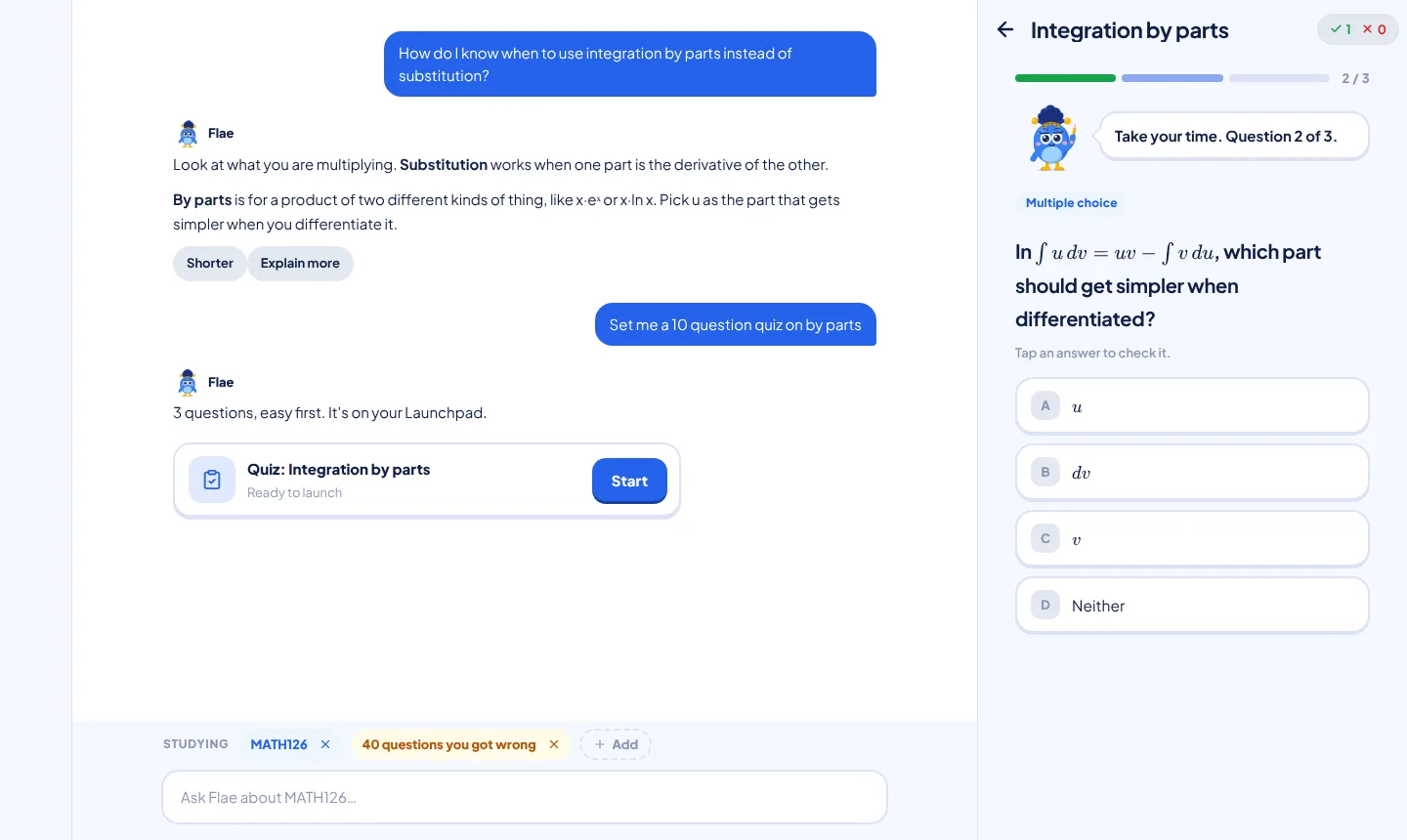
A quiz also keeps its place. Close the panel at question 5, come back later, and it picks up at question 6 with your first five answers as you left them.
What each kind is
- Quizzes: up to 10 questions, on every plan. They come from the same generator as the Quiz page, so a quiz made in chat is the quiz that page would have made.
- Flashcards: a set of 16 cards, saved as a real deck on your account, so it is on your phone too.
- Summaries: one revision page from your material, ending with the three things you are most likely to be asked.
- Maps: a mind map of a course. Tick one course first. A new map costs one notes credit, and reopening a saved one is free.
- Podcasts: the course podcast. Tick one course first, because it is made from a single course.
See all
When you have more than three items, the panel shows See all. It opens the whole list, filtered by kind (Quizzes, Cards, Summaries, Maps, Podcasts), grouped Ready to launch, In flight and Landed, newest first. An x beside a row removes it.
What it costs
Each kind has its own daily allowance, and none of it is charged until the thing is actually made.
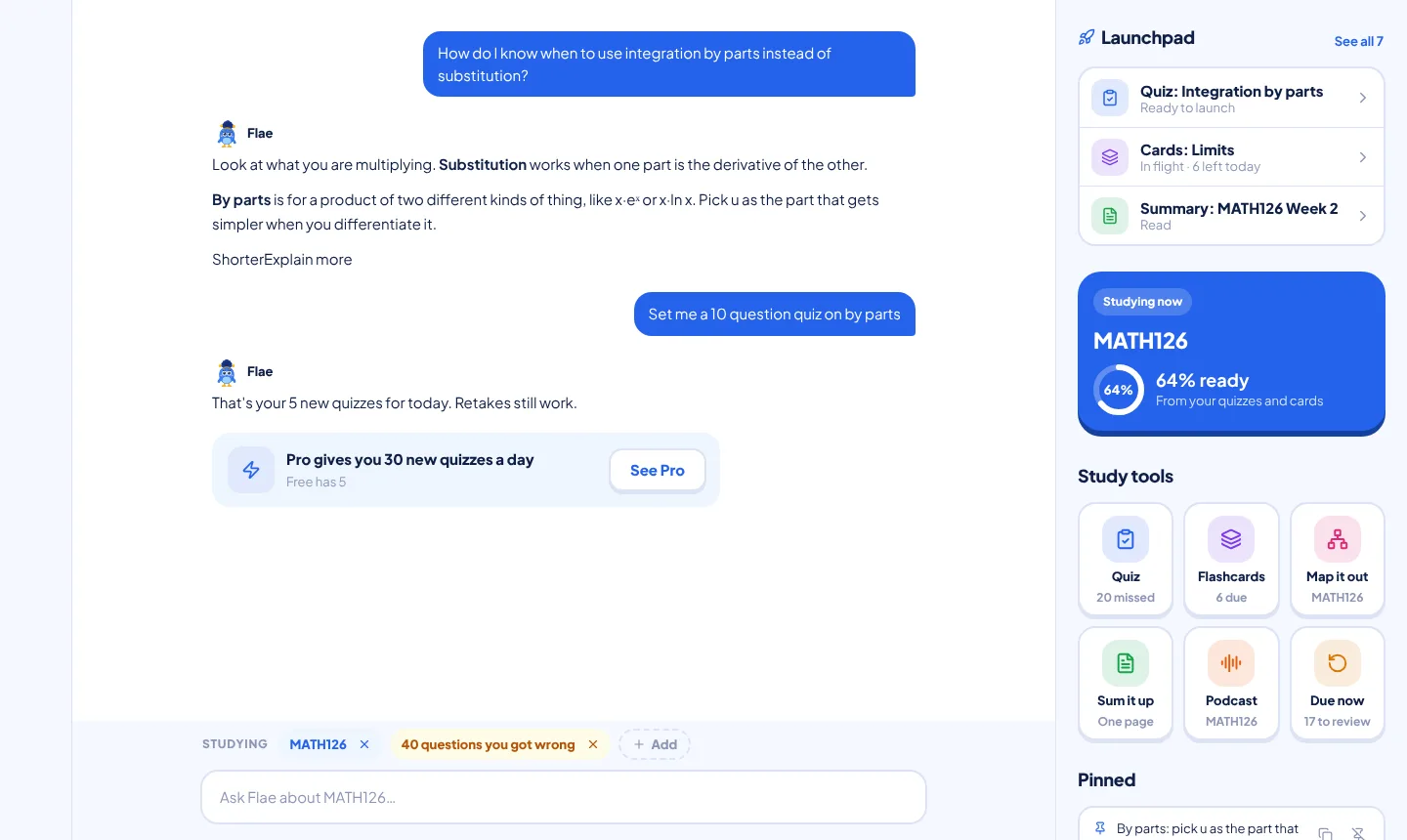
- Quizzes: Free 5 a day, Pro 30, Max unlimited. Retakes do not count.
- Flashcards: Free 3 a day, Pro 20.
- Podcasts: Free 1 a day, Pro 5.
- Summaries: count as one message to Flae.
If you hit a limit, Flae tells you in the chat, and everything already on your Launchpad still works. If a make fails halfway, she says nothing was used up, and that is true: the count only moves after a successful make.
Where it lives
Your Launchpad is saved on this computer, in this browser, and it keeps your 30 most recent items. It survives closing the tab and restarting. It does not follow you to another browser, another laptop or a private window.
That is less of a loss than it sounds, because nothing in it is the only copy of anything that matters. Your quiz scores are on your account and so are your flashcard decks. And if you share a laptop, each signed-in student gets their own list.
Make the most of it
The Launchpad is a shelf, and it only helps if you use it like one. These habits are worth building:
- Tick the right material first. Everything Flae makes comes from what the Studying chips say. Before you ask for a quiz on week 3, make sure week 3 is ticked, not the whole semester. A quiz made from a narrow, correct set of notes is sharper than one made from everything.
- Ask for a topic when you have no material. "Set me a quiz on integration by parts" works even with nothing ticked. When you do have notes, ticking them gives you questions from your own lecturer's material, which is closer to your exam.
- Make the quiz while you study, take it later. Ask for it in the middle of a session and carry on. When you come back, it is waiting under Ready to launch, so you test yourself after a break, which is when recall is hardest and works best.
- Let Landed mean something. Treat In flight as your to-do list. Finish those before you ask for anything new, because Landed items are the first to drop off when the shelf is full, and unfinished ones are kept.
- Quiz first, then flashcards from what you got wrong. After a quiz, ask Flae to make flashcards on the topics that tripped you. The deck lands on your account, so you can revise it on your phone on the bus.
- Use Flae while the quiz is open. Stuck on a question, ask her right there. She sees what is open and gives a hint, not the answer, while you have not answered. Then use Ask Flae why on the answers review.
- Summarise last. Read the one-page summary the night before an exam, and go straight to its "Most likely in the exam" list. It costs a message to Flae, so spend it where it pays most.
- Spend the daily allowance on new things, retake for free. Retaking a quiz never counts. If you have hit your daily limit, retake an old one and aim for a better score than last time.
- Clear the shelf now and then. Remove what you no longer need with the x in See all, so the things you care about stay in the top three.
- Do not rely on it as a backup. It lives on this computer. Your scores and decks are safe on your account, but a summary exists only on the Launchpad. Copy anything you want to keep for good before you clear your browser data.
After a good chat
Once you have talked a topic through, Flae may ask whether you want to test it, with the choices to try a question, make flashcards or not now. She only asks after a few real explanations, never after small talk, and not at all if you set her Checks you setting to Never. Say yes and the quiz is waiting on your Launchpad.
Getting it
The Launchpad is live now at flaevoapp.com, on a laptop or desktop browser. It is not in the Android app, which has no Study Desk. Open Flaevo on a laptop, add a course to the Studying chips, and ask Flae for a quiz.

Flaevo is a free study app for Ghanaian students. Upload your notes, and I turn them into sessions, flashcards and quizzes you actually remember.
Get Flaevo free on Google PlayFrequently asked questions
Is the Launchpad on my phone?
No. The Launchpad is part of the Study Desk, which is the laptop layout. Nothing is missing on your phone: quizzes, flashcards and Flae all work there, and flashcard decks Flae makes on the desk show up in Flashcards on your phone.
Where is my Launchpad saved?
On the computer you made it on, in that browser. It survives closing the tab and restarting, but another browser, another computer or a private window will not show it. Your quiz scores and flashcard decks are saved to your account as usual, so those are not lost.
How many things can it hold?
Your 30 most recent. When it is full, the oldest Landed item makes room first, so a quiz you have not started or finished is kept for as long as anything you have already finished can go instead.
Does a Launchpad quiz count towards my daily limit?
A new quiz does: Free has 5 a day, Pro 30, Max is unlimited. Retaking one does not count. A Launchpad quiz is up to 10 questions on every plan. If Flae fails halfway, for example the connection drops, nothing is used up.
Does asking Flae for a quiz use one of my messages to her?
No. A request like "set me a quiz on integration by parts" goes straight to the Launchpad and has its own allowance. The exception is a summary, which counts as one message to Flae because it is written the same way.
Study smarter with Flaevo
Turn your notes into flashcards and quizzes, and remember everything with spaced repetition — powered by Flae, your AI tutor.
Try Flaevo free