
Study With Mates: Rooms, Quiz the Room and Your Mate Link
Most students already study together. It happens in a WhatsApp group the night before a paper, with someone asking "does anyone understand question 4?" and three people answering three different things.
Study with mates in Flaevo 1.2.0 is that, with Flae at the table and a way to check that you actually got it.
Add a mate in one tap
A study mate is a classmate you study with on Flaevo. There are three ways to add one:
- Your mate link. On Home, tap + Invite, then Share my mate link. It goes out as your student card with a QR code. Whoever opens it is asked Add you as a study mate? and taps Add.
- Your QR code. Tap Show my QR code and your classmate scans it with their phone's camera.
- A room. Invite someone into a study room, and you become mates when they join.
If your classmate does not have Flaevo yet, the link takes them to Google Play first, and the app asks them to add you after they sign up.
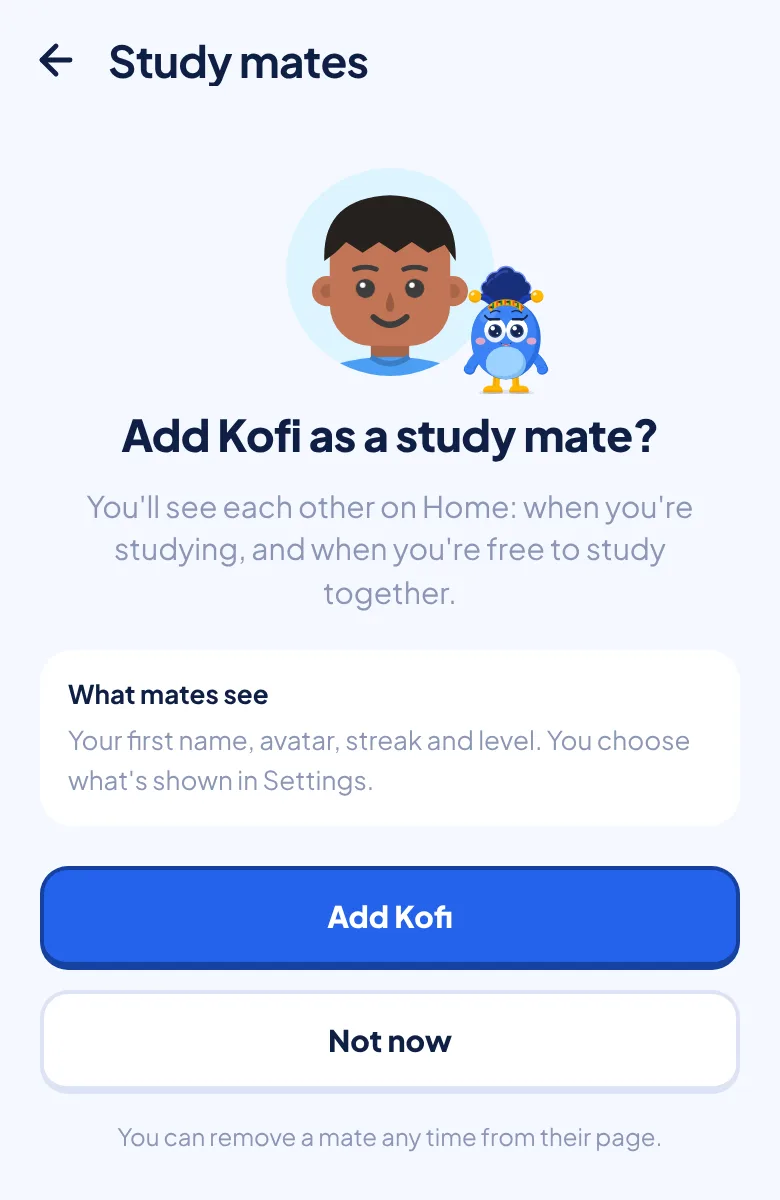
The best way to use it: share your card to your class WhatsApp group once. Everyone who taps it is one tap from studying with you.
Your mates on Home
Once you have mates, Home shows a row of them. You can see who is studying and who has not yet studied today. Tap a mate to open their page, with their streak, level and the days they studied this week.
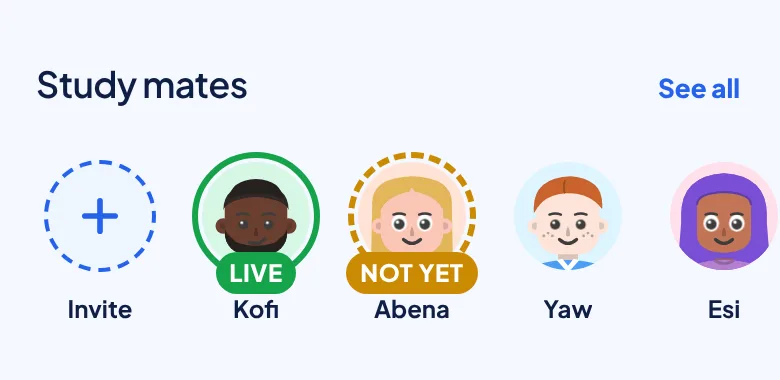
From there you can start a room with them. If a mate has been away for a while, you can send a hello, or message them on WhatsApp.
The study room
A study room is where you and up to three classmates study together, live, with Flae at the table. Your avatars sit around it, and they react to what people do: typing, asking a question, agreeing, going quiet.
To start one, tap + Invite in Study mates on Home, then Start a room and invite. You can also open one from Flae's chat. Share the link on WhatsApp.
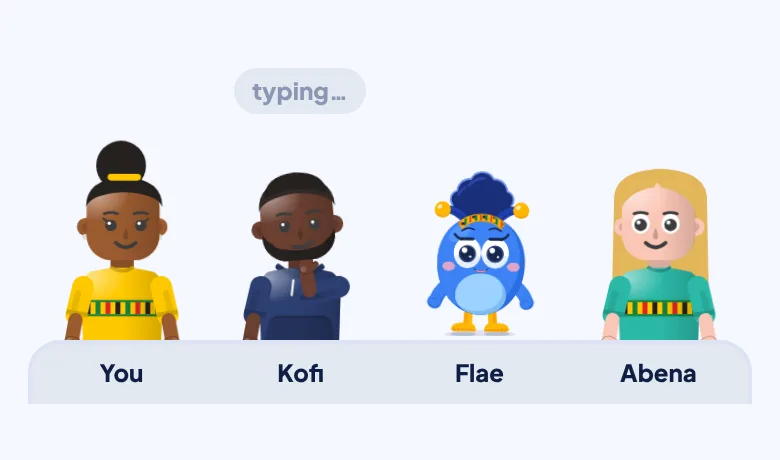
Your messages go to your mates. Flae only speaks when someone asks her, and there is a good reason for that: ask each other first. Explaining a point to a classmate is one of the best ways to find out whether you understand it yourself.
When the room is stuck, tap Ask Flae. The message box then shows To Flae, for everyone, and you have 3 seconds to undo it. Flae's answer appears for the whole room.
Each question to Flae uses the daily allowance of the person who asked it, not the host's. Studying in a room counts for your streak.
Quiz the room
Before you leave, tap Quiz the room. Flae writes 5 questions from your own course, from what the room has been discussing, or from a topic you choose.
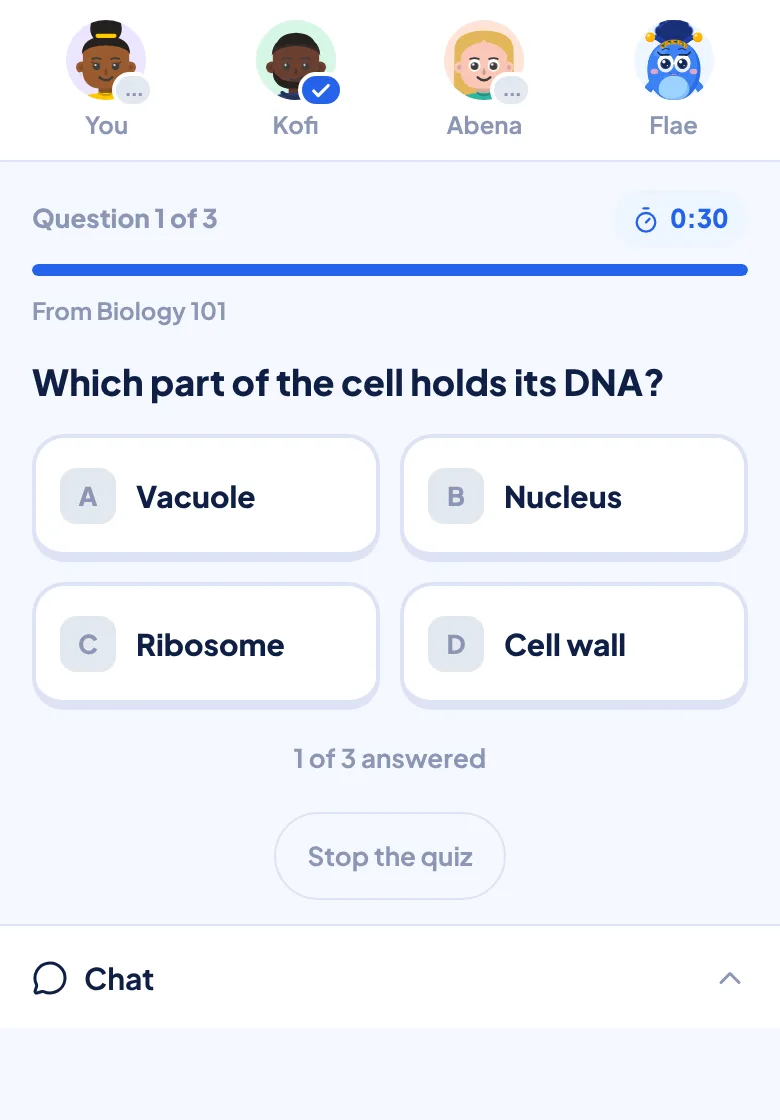
Everyone answers together, 30 seconds a question. At the end you see the room's score, and Flae explains the question most of you missed. The ones you missed go to your Smart Review, so they come back when you are about to forget them.
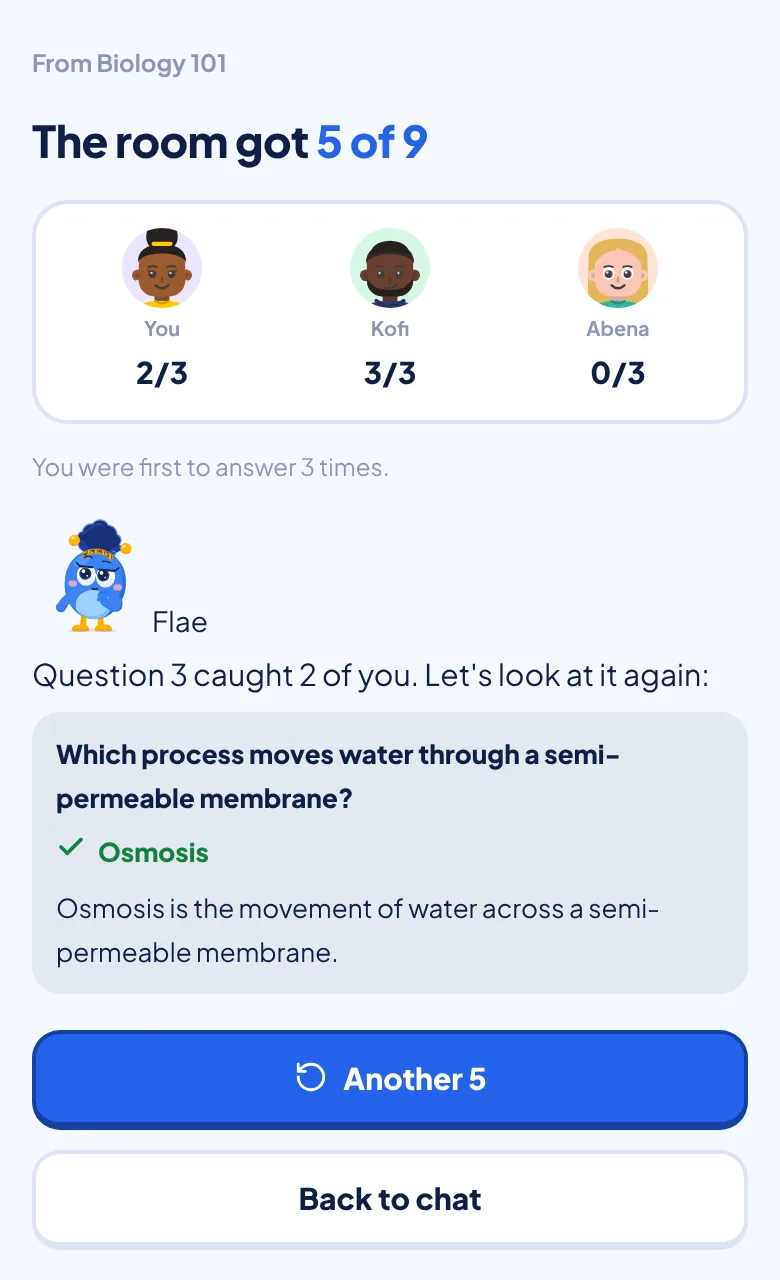
You can also quiz your mates after a normal quiz, with the same questions, and share one of Flae's answers to WhatsApp.
Staying safe
Studying with other people should never cost you your privacy or your peace. These are the rules built into Study with mates, not favours. Where something is not built in, we say so.
Who can reach you
- Nobody can find you. There is no search for other students, no "people you may know" and no public profile. You become someone's mate in only three ways: you opened their link or QR code, you joined their room or co-op quiz, or you both tapped Add as mate.
- Your link is your consent. Share it with classmates you know, such as your class group, and not in public places. Anyone who opens it, signed in or not, sees only your first name and avatar.
- You can take it back. Under You, Study mates, tap Reset my mate link. The old link and QR code stop working at once, and your mates stay your mates.
- Joining a room tells you what happens. You are told before you join that you will become the host's study mate.
- Room codes cannot be guessed. Wrong codes are limited to 20 an hour, and mate links to 30 failed tries an hour.
- Limits. 10 new mates a day and 50 in all.
What your mates can see
- Your first name (from your profile, not your display name) and your avatar.
- Unless you turn them off under Settings, What mates see: your level, your streak, whether you studied today, which days you studied this week, when you last studied, and when you are hosting a room they can join.
- These settings are applied on our server, so anything you hide is never sent to your mates' phones.
- They never see your quiz scores, your courses, your chats with Flae, or your messages outside a room you share.
Nudges and invites
- Flae writes the notifications mates send, such as a nudge to study, a hello when you have been away, or "a mate opened a room". A mate cannot type their own words into them.
- They are limited to one nudge a day and one hello every three days, however many mates send them, and you can turn them off in Settings.
When something goes wrong
- Remove a mate from their page. Removing also blocks them, so an old link cannot make you mates again.
- Report a mate, or someone in a room with you, from their page. You pick a reason (harassment or bullying, spam or too many nudges, an inappropriate name or avatar, or something else) and can add a note. The person you report is not told who reported them, and our team reviews every report.
- Leave any room at any time with the back button or Leave.
What we keep
- Messages in a room are deleted when the room expires, 24 hours after it opens.
- We keep a small record for each room with no message content: when it opened, how many people joined, and whether anyone asked Flae or played a quiz.
- When you share one of Flae's answers, the image has only the question, the answer and a link to Flaevo. Flaevo never reads your contacts or learns who you sent a WhatsApp message to.
What is not built in. A room has no moderator, and a host cannot remove someone from a room, so do not invite anyone you would not want at the table. If someone behaves badly, leave, remove them as a mate and report them. You must be at least 13 to use Flaevo, and under 18 you need a parent or guardian's permission, as our Terms say. If you are younger, share your link only with classmates, and talk to a parent or teacher if anything in a room makes you uncomfortable.
Getting it
Study with mates is in Flaevo 1.2.0. Update from the Play Store, or download the latest APK from flaevoapp.com. Everyone in a room needs the new version.
Already like playing against friends? Quiz with friends still works the same way, and a friend who joins your quiz can become your mate.
Try it before your next paper: share your card to your class group and see who turns up.

Flaevo is a free study app for Ghanaian students. Upload your notes, and I turn them into sessions, flashcards and quizzes you actually remember.
Get Flaevo free on Google PlayFrequently asked questions
How do I add a study mate on Flaevo?
On Home, tap + Invite, then Share my mate link. Whoever opens it is asked whether to add you as a study mate and taps Add. You can also show your QR code for a classmate to scan, or become mates by joining each other's study room.
Can strangers find me or add me?
No. There is no search for other students and no public profile. Nobody can add you unless you gave them your link or you studied with them. You can replace your link at any time under Study mates, and the old link and QR code stop working at once.
How many people can be in a study room?
You and up to three classmates, with Flae at the table.
Whose daily answers does Flae use when I ask her something in a room?
The person who asked. Each question to Flae counts against the daily allowance of whoever asked it, never the host's.
Can someone in a study room be removed or blocked?
You can leave a room at any time, remove a person as a mate (which also blocks them), and report them. A host cannot remove someone from a room, so only invite people you would want at the table.
How long do study room messages last?
Messages in a room are deleted when the room expires, 24 hours after it opens.
What can my mates see about me?
Your first name and avatar. Unless you turn them off in Settings under What mates see, they also see your level, your streak, whether you studied today and when you last studied. They never see your quiz scores, your courses or your chats with Flae.
Study smarter with Flaevo
Turn your notes into flashcards and quizzes, and remember everything with spaced repetition — powered by Flae, your AI tutor.
Try Flaevo free